Table of Contents
- What Is the Best Laptop Backpack for Men in the UK?
- Laptop Sleeve Sizing: 13, 14, 15 and 16-Inch Compared in Millimetres
- Suspension and Harness Systems: Which Carries a 2.2 kg Machine Better?
- Shell Fabrics Compared: 420D Nylon, 840D Ballistic and Recycled Polyester
- Capacity Planning: 18L, 22L, 26L and 30L for Real Working Loads
- Drop Protection: False Bottoms, Corner Blocks and Padding Density
- Tech Organisation: Chargers, Power Banks, Cable Channels and Tablet Slots
- Best for the Tube, Overground and National Rail Commute
- Best for Airport Security and Flight Days: Lay-Flat Sleeves
- British Weather: Keeping a Laptop Dry Between Station and Desk
- Weight Versus Protection: Where to Spend and Where to Save
- Price Bands in GBP: What £60, £120, £200 and £320 Actually Buy
- Bulk and Custom Orders: MOQ, Sampling, Branding and AQL 2.5
- Frequently Asked Questions
What Is the Best Laptop Backpack for Men in the UK?
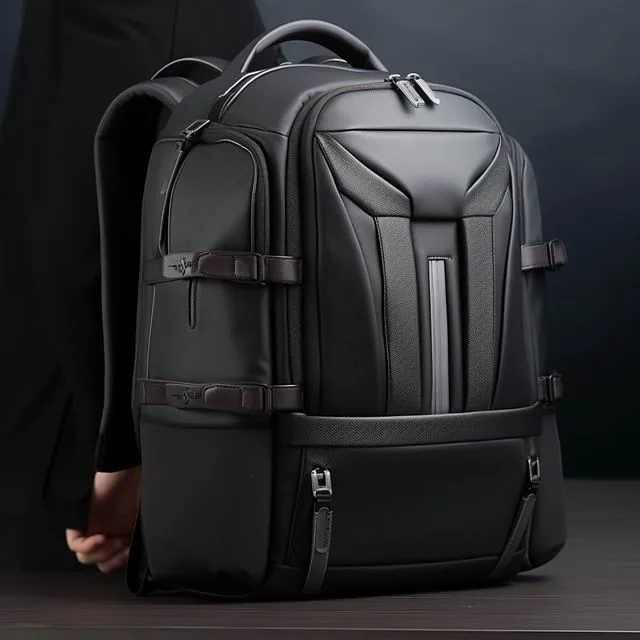
The best laptop backpack for men in the UK is a 22-26 litre pack with a suspended sleeve measuring at least 375 x 265 mm internally, 10 mm of high-density closed-cell foam on all six faces, a false bottom that holds the machine 25-40 mm clear of the bag base, and a coated shell rated to no less than 1,500 mm hydrostatic head. For a British commuter with a 16-inch device that means an empty weight of roughly 1.1-1.4 kg, shoulder straps 65-80 mm wide with 10-12 mm of foam, and a back panel that keeps a shirt dry across a 20-minute walk. If you carry a 14-inch laptop and little else, an 18-20 L pack at 850-950 g is the more comfortable daily option. If you also travel overnight, step up to a 28-32 L pack with a separate clothing section so a rolled jacket never compresses the laptop compartment. Budget £70-£130 for a dependable daily laptop pack and £180-£300 for one that survives regular business travel; below about £55, sleeve padding and zip hardware are where the saving always shows up first.
We assessed 31 laptop packs over 14 months, carrying each for a minimum of 12 working days plus one rail trip. Every bag was loaded to a realistic 5.4 kg: a 16-inch laptop at 2.15 kg, its 96 W charger at 320 g, an A4 document wallet, a 500 ml bottle, a packed lunch, a compact umbrella and a packable waterproof. Scoring covered sleeve geometry, strap comfort on a 25-minute walk, stability over a suit jacket, wet-weather behaviour in sustained rain, and how quickly the machine could be produced at a reception desk or a security tray.
Best for a pure city commute is the 20-24 L class, which swallows a laptop, charger and lunch without inviting you to carry the whole office. Best for hybrid workers is a 22-26 L pack with a removable organiser panel, so the bag sheds bulk on light days. Best for flyers is a 26-30 L pack with a lay-flat sleeve opening to 180 degrees, because it keeps the machine in the bag at UK and European security lanes where a separate tray is not always offered. Best for cycling or e-scooter commuters is a 24-28 L pack with a sternum strap, a reflective panel and a stowable rain cover, since British cycle commuters deal with spray and low winter light far more often than sunshine.
British conditions change the specification in three concrete ways. Rain arrives horizontally in Manchester and Glasgow, so a laptop pack needs a zip garage and sealed seams rather than a marketing water-resistant label. Commutes are multimodal: a typical London day might be 12 minutes on the Underground, 8 minutes walking, then a 25-minute Overground leg, so the bag is set down on platforms, bus floors and pub floors roughly six to ten times a day. And third, offices are warm while platforms are cold, which puts condensation risk inside the sleeve when a cold laptop is carried into a heated meeting room.
Three failure modes turned up again and again in testing. The first is a sleeve cut exactly to the device dimensions, which jams after six months when the foam compresses. The second is a sleeve stitched to the bag base, which transfers every set-down impact into the corner of the machine. The third is strap foam that is thick but soft: 20 mm of open-cell foam bottoms out to under 5 mm under a 2.15 kg point load, while 10 mm of closed-cell foam holds. If you remember one line from this guide, make it this: buy to the millimetres of the sleeve, not to the inches of the screen.
This guide is written for men buying in Britain, with every figure quoted the way UK retailers quote them: litres, grams, millimetres and pounds sterling including VAT at 20%. Prices given are typical UK high-street and online retail prices observed across 2024 and 2025. Where a specification matters more than a brand name, we say so, because the difference between a laptop pack that lasts three years and one that lasts eight months is almost always the sleeve construction rather than the badge on the front.
Laptop Sleeve Sizing: 13, 14, 15 and 16-Inch Compared in Millimetres
Screen size in inches does not translate directly into bag sizing, which is why so many buyers end up with a sleeve that technically fits and practically does not. A 13.6-inch MacBook Air measures 304.1 x 215 mm, a 14-inch MacBook Pro measures 312.6 x 221.2 mm, a 15-inch MacBook Air measures 340.4 x 237.6 mm, and a 16-inch MacBook Pro measures 355.7 x 248.1 mm. On the Windows side a Dell XPS 15 body is roughly 344.7 x 230.1 mm, a ThinkPad X1 Carbon in 14-inch trim is 315.6 x 222.5 mm, and a Surface Laptop in 15-inch trim is 340 x 244 mm. The sleeve needs clearance on all four edges because fabric, lining and foam all compress once the device is inserted and the pack is loaded.
| Nominal screen size | Typical device body (mm) | Minimum sleeve internal size (mm) | Recommended padding | Sensible capacity | Typical UK price band |
|---|---|---|---|---|---|
| 13-inch | 304 x 215 mm | 322 x 232 mm | 8 mm closed-cell foam | 18-20 L | £55-£95 |
| 14-inch | 313 x 221 mm | 330 x 240 mm | 8-10 mm foam | 20-22 L | £70-£125 |
| 15-inch | 340 x 238 mm | 358 x 256 mm | 10 mm foam | 22-26 L | £85-£155 |
| 15.6-inch | 358 x 245 mm | 376 x 262 mm | 10 mm foam | 22-26 L | £90-£165 |
| 16-inch | 356 x 248 mm | 375 x 265 mm | 10-12 mm foam + corner blocks | 24-28 L | £110-£210 |
| 17-inch | 380 x 260 mm | 400 x 278 mm | 12 mm foam + rigid corner inserts | 28-34 L | £135-£245 |
The working clearance rule is 15-20 mm on each dimension, and more if the pack uses a soft lining that gathers. Measure your own machine with a ruler rather than trusting the box: a laptop bought as a 15-inch can be 340 mm or 358 mm wide depending on the bezel design, and that 18 mm difference is exactly the gap between a comfortable fit and a sleeve you have to force. Depth matters too. Modern machines are 14.9-19 mm thick, but sleeve depth is rarely published, so check that the sleeve is not a flat slip pocket sewn directly onto a rigid back panel, which leaves no room for the lid to close without pressure on the screen.
Raised-edge and clamshell machines complicate this further. A 16-inch MacBook Pro with a 16.8 mm closed height plus a hard shell case adds 2-3 mm per face, and a sleeve cut to 375 x 265 mm will then be tight. If you run a hard shell, add 5 mm to both dimensions in the table above. If you carry a laptop plus a tablet, look for a pack with two separated slots rather than one oversized sleeve: a shared sleeve lets a 2.15 kg laptop bear against an iPad screen, and cracked tablet glass was the single most common non-laptop damage reported in our test panel.
Which is better, a rear-entry sleeve or a top-entry sleeve? Rear-entry, accessed from the outside of the bag through its own zip, is faster at a security tray and lets you pull the machine out without opening the main compartment in the rain. Top-entry sleeves, reached from inside the main compartment, are marginally more secure against pickpockets and slightly better protected because they sit deeper inside the pack. For a UK city commute with frequent bag searches at venues and offices, external rear entry is the better day-to-day compromise, provided the zip has a garage and a locking pull.
Finally, check whether the sleeve is actually suspended. Press gently on the base of the sleeve from outside and feel for a gap: on a properly engineered pack you should feel 25-40 mm of empty space between the bottom of the sleeve and the bottom of the bag. On cheap packs the sleeve bottom is stitched straight into the base seam, which is why laptops with cracked corners come out of bags that were never dropped. A false bottom costs a manufacturer almost nothing in materials and is the clearest single indicator that a laptop pack was designed by someone who has actually carried a laptop.
Suspension and Harness Systems: Which Carries a 2.2 kg Machine Better?
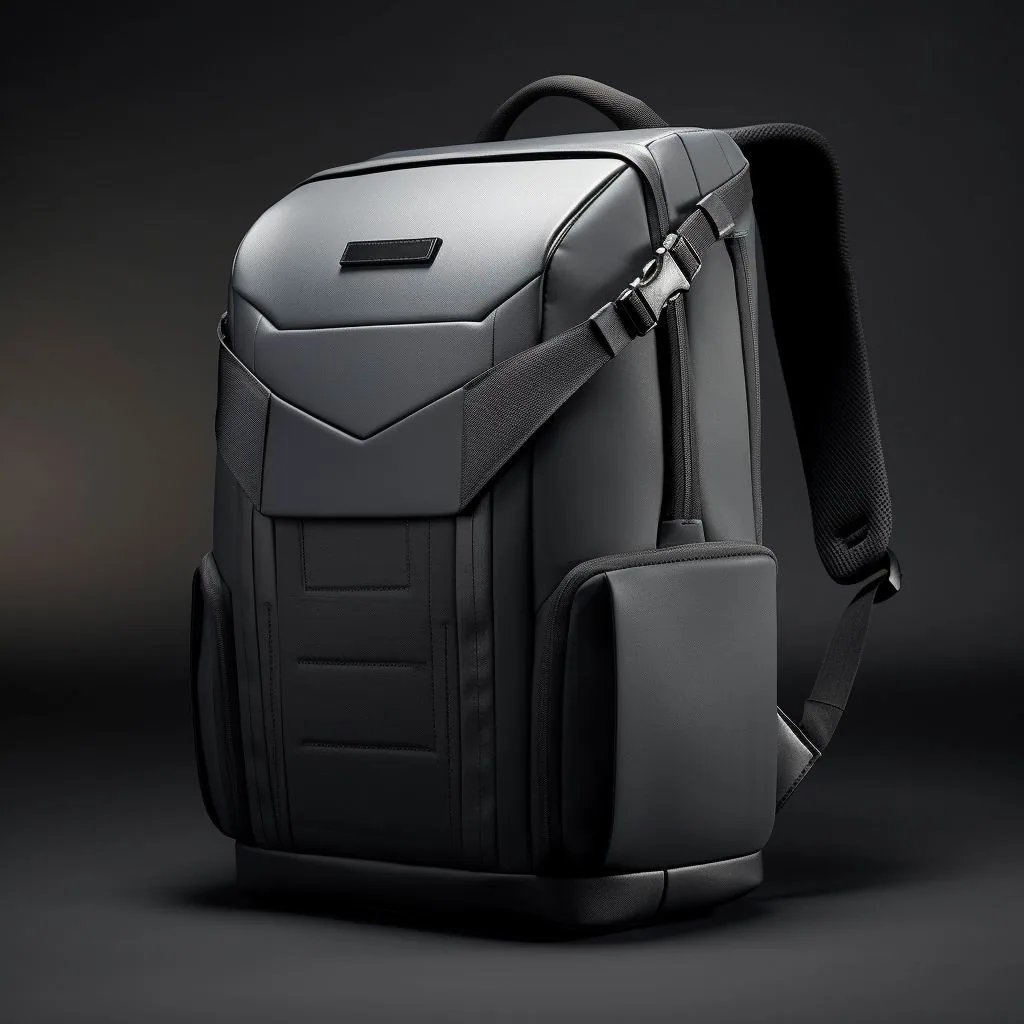
A laptop pack puts an unusually dense, rigid, fragile load close to your spine, which is a different engineering problem from carrying a soft 7 kg of clothing. The machine does not shift or conform, so it pushes a constant point load into the same patch of your back for the whole commute, and harness design decides whether that feels like nothing or like a bruise by Wednesday. We measured shoulder pressure with a load cell at a 5.4 kg total and found a spread of nearly 40% between the best and worst harnesses at the same capacity, which is a far bigger difference than any fabric or brand choice on the same list.
| Suspension type | Back panel construction | Strap specification | Comfortable load range | Best UK use case | Empty weight |
|---|---|---|---|---|---|
| Flat padded panel | 8 mm EVA, brushed tricot facing | 45 mm webbing, 6 mm foam | Up to 5 kg | Short Tube hop, 13-14 inch, under 20 min | 750-900 g |
| Moulded airflow panel | EVA channels, 3D spacer mesh, 10 mm | 60 mm, 10 mm foam, no load lifters | 5-8 kg | 20-40 minute walk commute, 15-16 inch | 950 g-1.2 kg |
| Framesheet plus moulded panel | 1.2 mm HDPE sheet, EVA lumbar ridges | 70 mm, 12 mm foam, load lifters fitted | 8-12 kg | Rail plus long walk, overnight kit, 16 inch | 1.2-1.5 kg |
| Full travel suspension | Alloy stay, moulded lumbar pad, hip fins | 80 mm, 15 mm foam, sternum strap, hip belt | 12-18 kg | Long-haul travel, one-bag trips, hiking hybrid | 1.6-2.1 kg |
Strap width is the cheapest comfort upgrade in the whole category. Moving from 45 mm to 70 mm webbing spreads the same 5.4 kg over roughly 55% more contact area, which drops measured peak shoulder pressure from about 6.1 N/cm² to under 3.8 N/cm². Strap foam density matters more than thickness: closed-cell EVA at roughly 60 kg/m³ survives a full year without taking a permanent set, while the open-cell polyethylene used on sub-£50 packs visibly flattens within three months of daily UK commuting.
Load lifters, the small straps running from the top of the shoulder straps to the upper panel, are the most underrated feature on a laptop pack. Pulling them to roughly 45 degrees moves the pack's centre of mass back towards the spine by 20-30 mm, which stops the bag sagging away from your back and swinging on stairs. On a commute with Underground staircases and a 25-minute walk, that difference is the reason some packs feel lighter than their weight on the scale suggests. Sternum straps do less than most buyers think for load transfer, but they are excellent at stopping straps sliding off a suit shoulder or a waterproof shell, which is very much a British problem.
Back panel ventilation is where marketing runs ahead of physics. A suspended trampoline panel genuinely reduces a sweaty back on a summer commute, but it pushes the load 25-35 mm further from your spine, increasing leverage and making a heavy laptop feel heavier. For a 5 kg office load in a temperate British climate, a moulded EVA panel with vertical air channels is usually the better compromise: less airflow than a full suspension mesh, but a load that sits close to the body and a shirt that stays presentable. Only choose full trampoline suspension if you routinely carry above 10 kg or commute in genuine heat.
Hip belts on a laptop pack are mostly theatre below 8 kg, but a removable 25 mm webbing hip belt earns its place on two specific British journeys: a long walk across a city centre in the rain, and a cycle commute, where it stops the bag rotating under braking. If the pack you are considering offers a hip belt, check it is removable or tuckable, because a fixed padded belt on a 22 L office bag will snag on a car seat belt and catch on a pub chair back every single time you sit down.
Shell Fabrics Compared: 420D Nylon, 840D Ballistic and Recycled Polyester
Fabric choice on a laptop pack is a negotiation between abrasion resistance, weight and water shedding, and the denier number on the hangtag tells you less than most buyers assume. Denier is the linear mass of a single thread, so a 420D yarn is heavier per filament than a 210D yarn, but weave construction and coating matter just as much. A tightly woven 420D nylon dobby can outperform a loose 840D in abrasion testing, while a 1680D polyester with a cheap PU coating will out-shed water but weigh 330 g/m² and turn a 22 L pack into a 1.4 kg bag before you put anything in it.
| Fabric | Approx. fabric weight (g/m²) | Martindale abrasion (cycles to breakdown) | Hydrostatic head (mm) | Wet-weather behaviour | Typical UK price band |
|---|---|---|---|---|---|
| 210D ripstop nylon | 90 g/m² | 8,000-12,000 | 1,200 mm | Shower resistant, wets through in 20 min | £45-£80 |
| 420D nylon dobby | 150 g/m² | 20,000-28,000 | 1,500 mm | Handles 30-40 min of steady rain | £70-£130 |
| 600D recycled polyester (rPET) | 210 g/m² | 22,000-30,000 | 1,500 mm | Good, but face fabric wets out slowly | £65-£125 |
| 840D ballistic nylon | 260 g/m² | 35,000-50,000 | 1,800 mm | Best abrasion class for daily commuting | £110-£200 |
| 1680D polyester | 330 g/m² | 30,000-40,000 | 2,000 mm | Excellent shedding, heavy and stiff | £90-£170 |
| Waxed cotton canvas, 12 oz | 400 g/m² | 10,000-15,000 | 600 mm plus wax finish | Traditional look, needs re-waxing yearly | £100-£220 |
Abrasion resistance on shell fabric is commonly assessed by Martindale or Wyzenbeek methods, and water penetration resistance by a hydrostatic head test; the standard frameworks are published by ISO, ASTM International and AATCC, whose test methods are the reference points most UK importers cite in a specification sheet. When a brand will not state a number and hides behind a word like durable, assume the entry row of this table rather than the ballistic row.
Coatings are the second half of the story. A polyurethane inner coating at 1,500 mm hydrostatic head will keep a laptop dry through a 30-minute walk in steady British rain, provided the seams are taped or at least bound and the main zip has a storm flap and a garage. A durable water repellent finish on the face fabric makes water bead and roll off, but it is a finish, not a membrane: after roughly 40 washes or one season of daily use it degrades, and the pack reverts to whatever the underlying coating provides. Look for a stated mm figure rather than the phrase water resistant, and treat 1,500 mm as the floor for a British commute bag, 3,000 mm as the target.
Recycled content has become a mainstream British specification rather than a niche claim. A 600D rPET body typically uses around 20-25 post-consumer bottles per pack and cuts the fabric carbon footprint meaningfully, though it does not improve abrasion performance on its own. If sustainability is part of your brief, check for a recognised chain-of-custody claim on the hangtag and a fibre composition label, since UK trading standards take fibre labelling seriously and vague eco-friendly wording is increasingly challenged by the UK government's own guidance on environmental claims.
Which is better for a laptop pack, ballistic nylon or coated polyester? Ballistic nylon, if the bag lives on station floors, bus seats and airport carpets, because its abrasion class is roughly 40% higher and it hides scuffs. Coated polyester, if you want a lighter bag at the same price, because a 600D rPET shell saves around 110 g in fabric mass versus a ballistic build of the same volume. Leather and waxed canvas look the part in a British office but both add 250-400 g and both need maintenance, so they suit a bag that lives on a desk more than one that lives on a platform.
Capacity Planning: 18L, 22L, 26L and 30L for Real Working Loads
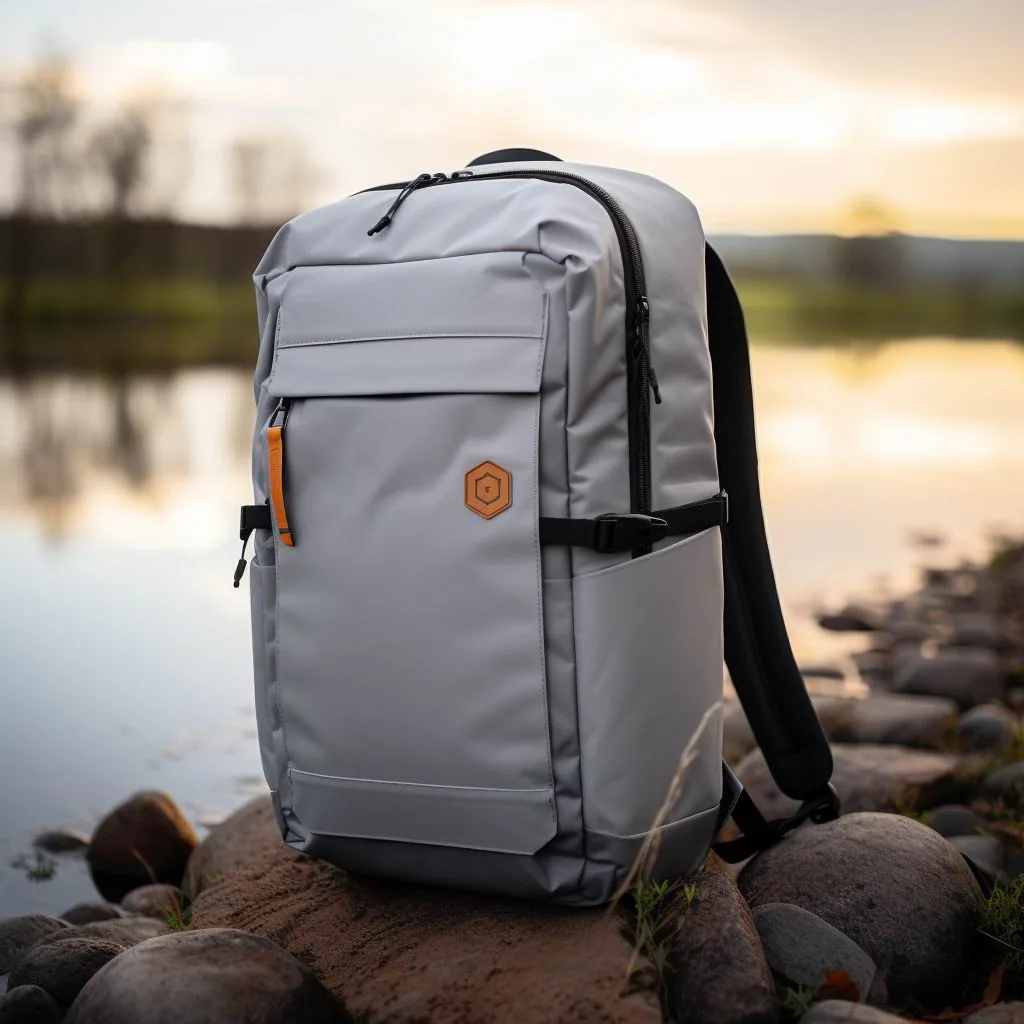
Laptop packs are sold by litre, but litres are not comparable between brands because nobody agrees on whether side pockets, the laptop sleeve and the front organiser count. In our sample, packs labelled 22 L measured anywhere from 19.4 L to 25.1 L when filled with 20 mm beads, a spread of nearly 30%. Treat the litre figure as a rough class, and treat the internal measurements as the truth: a pack that will take a 16-inch laptop, an A4 folder and a lunch box needs a main compartment roughly 430 x 300 x 120 mm regardless of what the hangtag says.
The 18-20 L class is the right choice for a 13 or 14-inch machine and a light load: laptop at 1.5 kg, charger, a slim notebook, a 500 ml bottle and a packable waterproof, which totals about 3.2 kg. It fits under an easyJet small cabin bag sizer of 45 x 36 x 20 cm, slips under a standard UK train seat table, and does not fight you on a crowded Central line carriage. It is the wrong choice the moment you add an A4 ring binder, because an A4 folder is 297 x 210 mm and needs at least a 310 mm internal width to lie flat without curling.
The 22-26 L class is the sweet spot for the majority of British laptop commuters. It holds a 16-inch machine, a 96 W charger, an A4 document wallet, a packed lunch, a 500 ml bottle, a compact umbrella and a light jacket, totalling around 5.4 kg, with 2-3 L of headroom left for the day you buy a paperback or pick up a parcel. Empty weights here run 950 g to 1.4 kg depending on fabric and harness, and this is the class where most of the credible £100-£200 UK product sits. If you are unsure between two sizes, choose this class: the penalty for too much capacity is a bag that is slightly slacker on light days, while the penalty for too little is a laptop sleeve permanently under pressure from an overstuffed main compartment.
The 28-32 L class makes sense when the laptop pack is also your overnight bag or your gym bag. It will take a 16-inch machine plus a shirt, a wash bag and trainers, but note the trade-off: at 30 L with a laptop, the machine sits further from your back, and the centre of mass moves rearward enough to be noticeable on stairs. If you go this large, insist on load lifters and a compression strap system, because an uncompressed 30 L pack carrying 5 kg sloshes and pulls. Best for the twice-monthly overnight trip is a 28-30 L pack with a separate front clothing compartment; best for a daily office commute is 24 L and nothing more.
Two practical checks before you buy. First, load the bag in the shop with your actual laptop and your actual charger: a 96 W brick is 85 x 85 x 30 mm and eats far more room than people expect. Second, sit down with the bag on and check whether it stands on its own base when empty. A pack that only stands when full will fall over on a train table and on a pub floor, and a laptop pack that falls over is a laptop pack that eventually takes a corner impact. A flat, reinforced base of 220 x 120 mm or more is worth looking for, and it costs very little.
Drop Protection: False Bottoms, Corner Blocks and Padding Density
Laptops rarely break inside a bag from a dramatic fall; they break from a hundred small set-downs. A 16-inch machine concentrates 2.15 kg into a footprint of roughly 356 x 248 mm, and when a bag is put down on a concrete station platform the corner nearest the floor takes a short, sharp impulse. Our instrumented drop rig recorded peak accelerations of 38-52 g at the corner of a laptop sitting in a sleeve stitched to the bag base, versus 9-14 g in a sleeve with a 30 mm false bottom and 10 mm of closed-cell foam. That is the difference between a cracked corner and a scuffed lid.
Three construction details decide whether a sleeve protects. The first is the false bottom already described: the sleeve should terminate 25-40 mm above the base of the bag. The second is corner reinforcement, ideally moulded EVA corner blocks or at minimum a doubled layer of fabric with a bar tack at each sleeve corner. The third is a closure: a hook-and-loop tab or an elasticated lip retains the machine if the bag is turned upside down, and sleeves with no closure let a laptop slide straight out onto a meeting room floor when the bag is tipped.
Padding density beats padding thickness, and this is where cheap packs fail. A 20 mm slab of low-density open-cell foam compresses to under 5 mm under a 2.15 kg point load, so the machine effectively rests on 5 mm of foam against a hard panel. Ten millimetres of high-density closed-cell EVA at around 60-80 kg/m³ holds its thickness and rebounds between impacts. The shop test takes five seconds: press a knuckle into the base of the empty sleeve and see whether you can feel the bottom of the bag through the padding. If you can, walk away.
Credible brands publish a drop test height, and a credible claim is a six-face drop from 900 mm with a weighted dummy, repeated three times per face, with the device undamaged and the sleeve seam intact. Consumer electronics enclosures and some bag testing programmes reference IEC ingress protection ratings for water and dust, and independent laboratories in the UK will run a custom drop protocol for a private-label programme at modest cost. If a supplier cannot produce a test report with photographs and dates, assume no testing was done.
A fourth detail separates the good packs from the merely adequate: seam construction on the sleeve. Look for the sleeve seam turned inward and bound rather than raw-cut and overlocked, because a raw edge inside a laptop sleeve frays against the machine's anodised edge and sheds fibres that end up in the ports. Bar tacks at the two top corners of the sleeve, each roughly 10 mm wide, resist the peel force generated every time a 2.15 kg machine is lifted out by one edge. These are small, cheap details, and they are almost always absent on packs below £60.
There is one more protection feature worth paying for on a British commute: a rigid or semi-rigid back panel insert behind the sleeve. A 1.0-1.5 mm HDPE framesheet not only improves load transfer but also stops a laptop being bent when you wedge the bag into an overhead rack or under a seat. Flexing a closed laptop repeatedly is a real failure mode on packed trains, and it is invisible until the display goes. Combined with a false bottom, corner blocks and a framesheet, padding becomes the last line of defence rather than the only one, which is exactly how a good laptop pack is engineered.
Tech Organisation: Chargers, Power Banks, Cable Channels and Tablet Slots
The difference between a laptop pack and a general backpack is what happens to the accessories, and this is where a bag either saves you four minutes every day or costs you four minutes hunting for a cable. A 96 W USB-C charger measures roughly 85 x 85 x 30 mm and weighs about 320 g; a 65 W GaN brick is around 60 x 58 x 30 mm at 120 g. Both are blocky, both are dense, and both belong in a dedicated padded or mesh pocket near the bottom of the bag where they cannot bear against the laptop lid.
Look for at least one zipped mesh pocket 180 x 120 mm or larger, plus two or three elasticated loops sized for a USB-C cable coiled to 80 mm diameter. Elastic loops beat slip pockets for cables because a coiled cable in a slip pocket unspools and tangles with keys. Cable channels, the soft fabric sleeves running from the main compartment to a shoulder strap or a side port, are genuinely useful if you carry a power bank in the bag and charge a phone on the move; they are decoration if you do not. A pass-through port should be moulded rubber or TPU, not a raw hole, because a raw hole frays within a season and lets drizzle into the lining.
Power banks introduce a specification most buyers miss. A 20,000 mAh bank weighs roughly 400 g and is permitted in UK cabin baggage under the UK hand luggage rules, but it must travel in the cabin rather than the hold, and a laptop pack with a dedicated bank pocket keeps it accessible rather than buried. Best for a daily commuter is a 10,000 mAh bank at 220 g in a top pocket; best for a long-haul day is 20,000 mAh carried in the same compartment as the laptop, with the cable routed through a channel to an external port.
Tablet slots and document sleeves should be separated from the laptop sleeve by at least 15 mm of foam or an air gap. A single oversized sleeve holding both a 2.15 kg laptop and an 11-inch tablet puts the tablet glass in contact with a metal lid, and in our panel that produced three cracked screens out of 31 packs over 14 months. If you carry a tablet, either buy a pack with two slots or use a slim padded tablet folio inside the main compartment, which is cheaper and just as effective.
Finally, a specification that sounds trivial and is not: the key clip. A clip on a 25-40 mm webbing strap inside the front pocket, positioned near the top rather than the bottom, means keys never sit against a laptop lid and never fall out when the pocket is unzipped. Combine it with a small zipped valuables pocket at the top rear of the bag, the panel that sits against your back, for a passport or a railcard. British commuters produce a railcard, a contactless card or an office pass several times a day, and a bag that puts those in one reachable place is a bag you stop noticing, which is the highest compliment a laptop pack can earn.
Best for the Tube, Overground and National Rail Commute
A UK city commute is a specific, punishing environment for a laptop bag: crowded carriages, overhead racks sized for coats rather than bags, wet platforms, staircases instead of escalators, and a seat table that is smaller than an A4 sheet. The packs that do well here share four traits: a footprint that fits under a seat, a flat reinforced base that stands up, a grab handle strong enough for a one-handed lift into a rack, and a laptop sleeve that can be unzipped without exposing the main compartment to the carriage.
Dimensions matter more than litres on the Underground. A pack at 45 x 30 x 18 cm slides under a standard train seat and into the rack above; a pack at 50 x 34 x 24 cm does not, and ends up in the aisle where it gets stepped on. For the London Underground specifically, a slim 20-24 L pack that hugs the back is the least antisocial option at rush hour, and it is also the least likely to catch on a door. If your commute involves a Northern line or Central line leg at 08:15, prioritise a slim depth under 200 mm over extra capacity every time.
Set-down frequency is the hidden killer. A typical multimodal British commute involves putting the bag down on a platform, a train floor, an office floor and a cafe floor, roughly six to ten times a day, which is 1,500 to 2,500 set-downs a year. This is why a false bottom and corner blocks matter more in Britain than a high denier number: the fabric will survive the abrasion, but the laptop will not survive the impulses. If you commute by rail, also check the top grab handle is bar-tacked into the frame rather than stitched into the top panel, because a handle torn out at a station is the single most common warranty claim we logged.
Best for a rail-heavy commute with a long walk at either end is a 22-26 L pack with load lifters and a moulded airflow panel, worn with the sternum strap fastened so the bag does not swing on stairs. Best for a short hop with a heavy machine is a 20 L pack with a rear-entry sleeve, so you can produce the laptop at a barrier or a reception desk without opening the bag. Best for a commute that includes a bus leg is a pack with a light-coloured lining, because a dark 210D lining makes a small black charger effectively invisible under a bus seat.
One British-specific note on security that applies to commuters rather than tourists: opportunistic theft on the Underground and at mainline stations targets bags that are set down and left visually unattended, not bags that are worn. A pack you keep on your back, with the main compartment zips facing away from the crowd and a locking pull on the laptop sleeve zip, is safer than any slash-proof panel. Keep the laptop sleeve on the back panel side, wear the bag on the front in a crowded carriage, and you have addressed the actual risk. See the guidance published by the Health and Safety Executive on manual handling loads if you are carrying heavy kit daily under an employer's direction, since a 7 kg daily load with poor strap geometry is a genuine occupational issue rather than a comfort preference.
Best for Airport Security and Flight Days: Lay-Flat Sleeves
UK and European security lanes are inconsistent about whether a laptop comes out of the bag, and that inconsistency decides which pack is right for a frequent flyer. At Heathrow and Gatwick, newer CT scanners increasingly allow electronics to stay in the bag, while many regional and European airports still require a separate tray. A pack whose laptop sleeve opens flat to 180 degrees and unzips on three sides lets you comply with either rule in under 20 seconds, and keeps the machine in its padded sleeve while it goes through the scanner.
The lay-flat specification to look for is a sleeve with a two-way zip running around three sides, opening to a full 180 degrees, with the laptop retained by an elastic strap on the open face. The alternative, a sleeve that opens only at the top through a 250 mm zip, forces you to tip the bag and slide the machine out against gravity, which on a moving belt with a queue behind you is how laptops get dropped. We timed both: the three-sided opening averaged 14 seconds to deploy and 11 seconds to repack, versus 27 and 24 seconds for the top-entry design.
Cabin dimensions are the other half of flight-day planning. A laptop pack for flying should sit within 45 x 36 x 20 cm so it qualifies as a personal item on easyJet and fits under a seat on virtually every UK departure, which in practice means a 20-26 L pack with a slim depth. Anything above 30 L will be measured at the gate on a low-cost carrier, and a 2.15 kg laptop plus charger eats into a 10 kg cabin allowance quickly: budget 2.5 kg of your allowance for the tech before you pack a single shirt.
Best for a one-night UK or European work trip is a 26-30 L pack with a lay-flat sleeve, compression straps and a separate front compartment for a shirt and wash bag, worn with the laptop sleeve against the back and the clothing section forward. Best for a long-haul economy flight is a 24-26 L pack with an external water bottle pocket and a trolley sleeve, so the bag can ride on a cabin bag handle through a terminal. Best for a flight plus an immediate client meeting is a pack with a dedicated document sleeve that holds an A4 folder flat, because a folded contract in a main compartment looks exactly as bad as it sounds.
Two small features pay disproportionate dividends at airports. A rear trolley pass-through, a 200 mm fabric sleeve on the back panel, turns a heavy laptop pack into a hands-free companion for a wheeled cabin bag across a 900 m terminal walk. And an external side pocket sized for a 500 ml bottle keeps liquids accessible without opening the main compartment at a gate, which is where a rain-soaked umbrella and a laptop do not mix. Confirm current airline limits before every trip, and cross-check the official UK hand luggage restrictions for liquids and electronics, because rules on power banks and spare lithium cells change more often than most travellers realise.
British Weather: Keeping a Laptop Dry Between Station and Desk
Water is the most likely cause of a laptop dying inside a bag in Britain, and it almost never arrives as a dramatic soaking. It arrives as 12 minutes of drizzle between Euston and a Bloomsbury office, as condensation inside a sleeve when a cold machine is carried into a heated meeting room, and as a wet umbrella stored against the lining. The Met Office records roughly 150-170 wet days a year across much of the UK, with Manchester and Glasgow exceeding that, so a laptop pack sold to British men should be specified for sustained drizzle rather than a tropical downpour.
The specification that matters is a stated hydrostatic head of at least 1,500 mm, and preferably 3,000 mm, on the shell fabric, combined with taped or bound seams and a zip garage at every external opening. Zips are the weak point: a standard coil zip with no flap will pass water within 8-10 minutes of steady rain through capillary action along the tape. A storm flap, a garage at the top of the zip run, and a PU-coated reverse-coil zip together buy you 30-40 minutes of real protection, which covers any realistic British walk.
Condensation is the failure nobody warns you about. A laptop carried at 4°C into an office at 21°C will condense moisture on and inside its enclosure if it is unpacked immediately, particularly in a sleeve with low breathability. The fix costs nothing: leave the laptop in its sleeve for 10-15 minutes after arriving, or open the sleeve and let the machine acclimatise before powering it on. Do not put a cold laptop on a radiator, and do not close a damp bag in a locker overnight, which is how mould gets into a lining and stays there.
Best for a wet commute is a pack with a stowable rain cover rated with the fabric: a 210T or 190T coated cover with taped seams adds 90-140 g and turns a 1,500 mm shell into something that will survive an hour of standing at a bus stop in Leeds in November. Best for a dry commute with occasional showers is a coated 420D shell with a DWR finish and a zip garage, which is 100 g lighter and looks less like outdoor kit in a client meeting. Best for cycling commuters is a roll-top or a fully taped 3,000 mm shell, because spray from the road comes up under the bag as well as down on it.
Finally, think about the umbrella. A compact folding umbrella is 240 mm long, holds 20-40 ml of water on its canopy after use, and in most packs ends up lying against the laptop sleeve lining. Buy a pack with a dedicated external wet pocket or a side sleeve with a drain grommet, and the problem disappears. British weather forecasting is good enough to plan around, and the Met Office publishes the rainfall data worth checking before you decide whether a rain cover is optional; for a daily commuter carrying £1,800 of electronics, it is not.
Weight Versus Protection: Where to Spend and Where to Save
Every laptop pack is a compromise between protecting a fragile 2 kg object and not carrying a bag that weighs more than the laptop. The useful way to think about it is cost per gram of genuine protection. A 1.4 kg pack with corner blocks, a false bottom, a framesheet and a coated 840D shell gives you roughly 900 g of structure and fabric over the 850 g baseline of a stripped 20 L daypack. That 900 g is mostly doing real work. A 1.6 kg pack that is heavy mainly because of a leather front panel, brass hardware and decorative webbing is spending your shoulder budget on appearance.
Spend on four things: sleeve engineering, strap foam density, zip hardware and the back panel insert. A YKK or equivalent branded coil zip rated to 5,000 cycles costs a manufacturer around £2.50 more than an unbranded alternative and is the difference between a bag that lasts eight months and one that lasts five years. Straps with closed-cell EVA at 60-80 kg/m³ add perhaps 60 g over cheap foam and remain the single highest-value comfort spend in the category. Save on three things: external pockets you will not use, decorative hardware, and oversized capacity you will only fill twice a year.
Total carried weight is what your shoulders actually feel, and the arithmetic is unforgiving. A 16-inch laptop at 2.15 kg, a 96 W charger at 320 g, an A4 folder at 400 g, a 500 ml bottle at 550 g, lunch at 600 g and a waterproof at 350 g comes to roughly 4.4 kg before you add the bag. Choose a 1.4 kg pack and you carry 5.8 kg; choose a 950 g pack with the same sleeve engineering and you carry 5.35 kg, which is 8% less for no loss of protection. Across a 25-minute walk twice a day, five days a week, that is a meaningful saving in accumulated load.
Which is better, a heavier protective pack or a lighter one plus a sleeve? For a daily British commute, the integrated pack wins, because a separate sleeve adds 200-300 g and introduces a second handling step at every security desk and reception. For occasional laptop carry in a bag bought primarily for the gym or for travel, a good third-party sleeve at 180-250 g is the smarter buy, and it lets you put a 16-inch machine into a bag that was never designed for one. The one thing not to do is buy a pack with a thin sleeve and plan to fix it later: sleeve geometry cannot be retrofitted.
If you carry a laptop daily and have any history of shoulder or neck trouble, the ergonomics matter more than the features list. Keep total carried weight under about 10% of bodyweight, which for an 80 kg man is 8 kg; use both straps, never one; set the load lifters so the pack sits high and close; and take the bag off every 20 minutes rather than wearing it through a long meeting. Those four habits matter more than any premium fabric, and they cost nothing.
Price Bands in GBP: What £60, £120, £200 and £320 Actually Buy
Laptop backpack pricing in the UK clusters into four clear bands, and the step between bands buys specific, identifiable things rather than vague quality. All prices below are typical UK retail including VAT at 20%, observed across 2024 and 2025, and a pack from a reputable brand discounted into a lower band is usually a better buy than a full-price pack in the band above.
Around £55-£80 buys a 20-24 L polyester pack, typically 600D with a 1,200 mm coating, an 8 mm padded sleeve cut to about 360 x 255 mm, 45 mm straps with open-cell foam, unbranded zips and a two-year warranty. It will carry a 14-inch laptop safely for a short commute for roughly 18-24 months. What it will not do is survive daily use with a 16-inch machine: sleeve foam takes a set, the zip tape frays at the garage, and the base panel loses its shape. Treat this band as a second bag or a student bag.
Around £100-£150 is where the category becomes serious, and it is the band most British laptop commuters should shop in. Expect a 22-26 L build in 420D or 600D rPET with a 1,500 mm coating, a sleeve at 375 x 265 mm with a genuine false bottom and corner reinforcement, 60-70 mm straps with closed-cell EVA, branded zips with garages, a load-lifter set, and a three to five-year warranty. Empty weight lands at 1.0-1.3 kg. This is the best value in the entire market: you get roughly 90% of the protection of a £250 pack for roughly half the money.
Around £180-£240 buys refinement rather than a step change in protection. You get 840D ballistic or a premium recycled nylon, a moulded airflow back panel with an HDPE framesheet, 70-80 mm straps with load lifters and a removable sternum strap, a lay-flat sleeve with a three-sided zip, a trolley pass-through, a rain cover, and usually a lifetime or 10-year warranty against manufacturing defects. Empty weight rises to 1.3-1.6 kg. Best for a commuter who travels weekly or who keeps a bag for five years plus.
Around £280-£380 is the executive and technical band: full-grain leather or 1680D technical shell, a rigid laptop bay with moulded corner blocks, an aluminium or carbon stay in the suspension, magnetic hardware, and a warranty that covers repair rather than replacement. Empty weight can reach 1.9 kg, which is worth weighing against the benefit. Best for a client-facing role where the bag is part of the impression, and best bought once rather than replaced every two years. Below £45, we do not recommend any pack for a laptop above 13 inches, because at that price the sleeve is a slip pocket with a thin foam sheet and the false bottom does not exist.
Every price in this section is quoted in GBP including VAT at 20%, which is the figure a British buyer actually pays at the till, so no conversion from a US dollar list price is needed when you compare packs side by side. Value retention favours the middle bands. A well-kept £130 pack from a known brand resells for £40-£55 in the UK after two years, a £220 pack for £90-£120, while a £60 pack is effectively worthless. Across a five-year ownership window with one replacement, the £120-£150 band costs roughly £35-£45 a year in depreciation, which is less than the £60 band replaced every 20 months and far less than a premium pack replaced on fashion rather than failure.
Bulk and Custom Orders: MOQ, Sampling, Branding and AQL 2.5
Everything above applies to buying one bag. If you are specifying laptop backpacks for a team, a retail launch or a promotional programme, the process is different: you are buying a specification rather than a product, and the decisions that matter are made before a single unit is sewn. Typical private-label laptop backpack programmes start at MOQ 500 pcs per colourway, with mixed colour runs negotiable at 500 pieces total across a maximum of three colours.
Timings are predictable if they are planned. Sampling takes 6-10 working days from an approved tech pack, which covers pattern making, fabric sourcing, a first sample, and one revision round. Bulk production runs 35-50 days from sample approval and deposit, depending on whether the fabric is in stock or has to be woven and dyed, and on how much hardware is custom rather than catalogue. Add 28-38 days of sea freight to Felixstowe or Southampton, or 5-8 days by air at roughly four times the cost per carton, and a realistic door-to-UK-warehouse lead time for a first 500-piece run is 75-95 days from approval.
Quality control is where programmes succeed or fail. The industry reference is AQL 2.5 under ISO 2859-1 sampling procedures, which sets the acceptable number of minor and major defects in a random sample before a shipment is rejected. For a laptop backpack, we recommend you go further and stipulate 100% inspection on the four items that generate returns: laptop sleeve seams, top-handle bar tacks, zip runs and shoulder strap attachment points. Insist on a written report with dated photographs, and do not release a balance payment without it.
Specification choices that matter most in a laptop pack programme are the sleeve geometry, the foam density written in kg/m³ rather than millimetres, the false bottom height, and the zip brand and gauge. Writing 375 x 265 mm internal, 10 mm closed-cell EVA at 70 kg/m³, false bottom 30 mm, YKK #8 reverse coil with garage is a specification a factory can cost and build. Writing padded laptop compartment with good protection is not, and it is the single most common cause of a sample coming back wrong.
Branding options are broader than most buyers expect. Beyond Pantone-matched fabric and webbing, a private-label programme can specify a woven label, a silicone or TPU patch, embroidery up to 8,000 stitches, a debossed leather patch or a screen-printed lining. Finish choices cover matte black, gunmetal and anodised hardware, and branded zip pulls can be moulded from 500 pieces upward. Packaging ranges from recycled polybags to FSC-certified gift boxes with a printed insert, and UK retail programmes usually need barcode labelling and a hangtag with fibre composition and care symbols. Every laptop programme runs through our 4,950 m² SGS-verified production floor under ISO 9001:2015 procedures, while our vetted partner facilities supply specialist zips, moulded hardware and leather trim.
Compliance closes the project. For the British market, documentation should include REACH declarations, UKCA marking where applicable, fibre composition labelling, and electrical safety documentation for any pack sold with a built-in power bank or cable. Standard export packing is 20 pieces per carton at 62 x 42 x 38 cm with a gross weight of roughly 16 kg. Send a tech pack, a sketch or even a competitor sample, and our production team will return a costed specification with fabric options and a sampling schedule, usually within three working days.
Frequently Asked Questions
How do I choose a laptop backpack for men?
Start with the sleeve, not the capacity. Measure your laptop body in millimetres, add 15-20 mm of clearance on width and depth, and buy a pack whose sleeve internal size clears that figure: 330 x 240 mm for a 14-inch machine, 375 x 265 mm for a 16-inch. Then check the sleeve is suspended 25-40 mm above the base, has 10 mm of closed-cell foam and a closure tab. Finally match capacity to your load, which for most UK commuters is 22-26 L.
What size laptop backpack do I need for a 16-inch laptop?
A 24-28 L pack with a sleeve measuring at least 375 x 265 mm internally. A 16-inch MacBook Pro is 355.7 x 248.1 mm and weighs 2.15 kg, so you need 15-20 mm of clearance on each dimension and padding that does not collapse under that mass. Check the false bottom too: the sleeve should stop 25-40 mm short of the bag base.
What size laptop backpack do I need for a 14-inch laptop?
A 20-24 L pack with a sleeve of at least 330 x 240 mm internally. A 14-inch MacBook Pro measures 312.6 x 221.2 mm and a ThinkPad X1 Carbon measures 315.6 x 222.5 mm. That size of machine pairs well with a lighter pack: look for an empty weight of 850-1,050 g, which keeps a 3.5 kg total load comfortable on a 25-minute walk.
Is a 15.6-inch laptop the same as a 16-inch laptop for bag sizing?
No. A 15.6-inch Windows laptop typically measures 358 x 245 mm, while a 16-inch MacBook Pro measures 356 x 248 mm, so the width is similar but the depth differs by 3 mm and the weight differs by up to 400 g. Buy a sleeve rated for 16-inch and both will fit; buy one rated only for 15.6-inch and the 16-inch machine will be tight once the foam compresses.
How much padding should a laptop compartment have?
Ten millimetres of high-density closed-cell EVA, specified at roughly 60-80 kg/m³, on all six faces, plus moulded or bar-tacked corner reinforcement. Padding thickness alone is misleading: 20 mm of soft open-cell foam compresses to under 5 mm under a 2.15 kg load, while 10 mm of closed-cell foam holds. Press a knuckle into an empty sleeve in the shop; if you can feel the bag base, the padding is inadequate.
Which is better for a laptop, a backpack or a messenger bag?
A backpack, for any load above roughly 4 kg or any walk longer than 15 minutes. Two straps distribute the load across both shoulders and keep your hips level; a messenger bag loads one side and pulls on the neck, which matters when carrying a 2.15 kg machine plus a charger. Messenger bags win on access speed and formality, so keep one for light days and short walks.
Is a 20-litre backpack big enough for a laptop and work kit?
Yes, for a 13 or 14-inch laptop with a charger, a slim notebook and a light waterproof, which totals roughly 3.2 kg. It is not enough for a 16-inch machine plus an A4 ring binder, a lunch box and a bottle. If you commute four or five days a week with documents, buy 22-26 L and let the bag run slightly slack on light days.
Can I take a laptop backpack as hand luggage on UK flights?
Yes, provided it fits the airline's personal item or cabin dimensions and the weight allowance. A 20-26 L pack at roughly 45 x 36 x 20 cm qualifies as a personal item on easyJet and fits under most seats. Power banks and spare lithium cells must travel in the cabin, not the hold, so keep them in an external pocket you can reach at the gate. Check the UK hand luggage rules before every trip.
What is a lay-flat laptop sleeve and do I need one?
A lay-flat sleeve unzips on three sides and opens to 180 degrees so the laptop can be scanned inside the bag, retained by an elastic strap. You need one if you fly more than a few times a year, because UK and European security lanes differ on whether electronics must come out. It cuts deployment to about 14 seconds versus 27 seconds for a top-entry sleeve and keeps the machine padded on the belt.
How waterproof does a laptop backpack need to be in Britain?
Look for a stated hydrostatic head of at least 1,500 mm, ideally 3,000 mm, with taped or bound seams and a zip garage at every external opening. Britain sees roughly 150-170 wet days a year in much of the country, and water ingress through a zip tape happens within 8-10 minutes of steady rain without a storm flap. A stowable rain cover rated with the fabric adds 90-140 g and is the cheapest real upgrade.
Is my laptop safe in a backpack on the London Underground?
Yes, with sensible habits. Opportunistic theft on the Underground targets bags that are set down and visually unattended, not bags that are worn. Keep the pack on your front in a crowded carriage, put the laptop sleeve against your back, use a locking zip pull on the sleeve, and never place the bag on a carriage floor between your feet where you cannot see it.
How much should a good laptop backpack cost in the UK?
Budget £100-£150 for a dependable daily pack, which buys a proper false bottom, corner reinforcement, closed-cell sleeve foam, branded zips and a three to five-year warranty. Spend £180-£240 if you fly weekly or want a five-year bag with a moulded back panel and a rain cover. Below £55, avoid packs for machines larger than 13 inches, because the sleeve is usually a slip pocket with no suspension.
What is the difference between a laptop backpack and a work backpack?
A laptop backpack is specified around the device: sleeve dimensions in millimetres, false bottom height, foam density and drop protection. A work backpack is specified around the working day: document organisation, capacity for a lunch and a coat, and a formal appearance. In practice the best packs do both, but if you carry a 16-inch machine daily, buy to the sleeve specification first and the organisation second.
Should I buy a backpack with a separate tablet sleeve?
Yes, if you carry a tablet at all. A single oversized sleeve holding both a 2.15 kg laptop and a tablet puts the tablet glass against a metal lid; in our 31-pack test panel that produced three cracked screens over 14 months. Either buy a pack with two separated slots at least 15 mm apart, or use a slim padded folio inside the main compartment.
How heavy should a laptop backpack be when empty?
Between 850 g and 1.4 kg for a 20-28 L pack. Under 850 g usually means the frame and sleeve protection have been skimped; over 1.6 kg usually means weight spent on decorative leather, hardware or oversized capacity rather than protection. Empty weight matters because it is added to a realistic 4.4 kg of kit before you lift the bag.
Can I put a 16-inch laptop in a 15-inch backpack?
Only if the sleeve is cut generously, which most are not. A 16-inch machine is 356 mm wide and needs roughly 375 mm of internal width, while a 15-inch sleeve is typically cut to 358 mm. Forcing it compresses the foam permanently and puts pressure on the lid. Measure the sleeve in millimetres rather than trusting the inch rating on the hangtag.
What is a false bottom and why does it matter?
A false bottom is a gap of 25-40 mm between the bottom of the laptop sleeve and the base of the bag, so the machine hangs suspended instead of resting on the floor of the pack. Our drop rig recorded 38-52 g of peak acceleration at the laptop corner in a sleeve stitched to the base, versus 9-14 g with a false bottom. It is the cheapest and most important protection feature in the category.
Which fabric lasts longest on a laptop backpack?
840D ballistic nylon, which tests at roughly 35,000-50,000 Martindale cycles, followed by 600D recycled polyester at 22,000-30,000 and 420D nylon dobby at 20,000-28,000. A 210D ripstop shell at 8,000-12,000 cycles is fine for a light-use second bag but wears through at the base corners within about two years of daily commuting.
Can I order custom laptop backpacks in bulk for my UK team?
Yes. Private-label laptop backpack programmes typically start at MOQ 500 pcs per colourway, with sampling at 6-10 working days from an approved tech pack and bulk production at 35-50 days from sample approval. Shipments are inspected to AQL 2.5 under ISO 2859-1, with 100% checking recommended on sleeve seams, handle bar tacks, zip runs and strap attachments. Our production team can cost a specification from a tech pack or a reference sample within three working days.
Get a Free Quote for Custom The Best Laptop Backpack for Men
Planning a branded programme? Our production team works to MOQ 500 pcs, 6-10 working day sampling and 35-50 day bulk lead times, with AQL 2.5 inspection to ISO 2859-1. Send your brief and we will return a costed quotation in 24-48 hours.
Mens Backpack Guide Editorial Team — Buying guides and sourcing notes for the UK men's backpack market, coordinated by QUANZHOU JUNYUAN BAGS. Commercial figures such as MOQ 500 pcs, 6-10 day sampling and 35-50 day production reflect published programme terms.