Table of Contents
- How Do You Pack a Backpack for Airport Security?
- What Has to Come Out of Your Bag at UK Security?
- How Should You Zone the Bag for the Fastest Clearance?
- How Do You Handle Laptops and Tablets Efficiently?
- What Is the Best Way to Pack Liquids and Toiletries?
- What Should You Do With Clothing, Shoes and Metal?
- How Do You Repack Efficiently on the Other Side?
- What Triggers Secondary Searches Most Often?
- Which Extras Actually Help at UK Airports?
- What Should Bulk Buyers Specify for Airport-Friendly Bags?
- Frequently Asked Questions
How Do You Pack a Backpack for Airport Security?
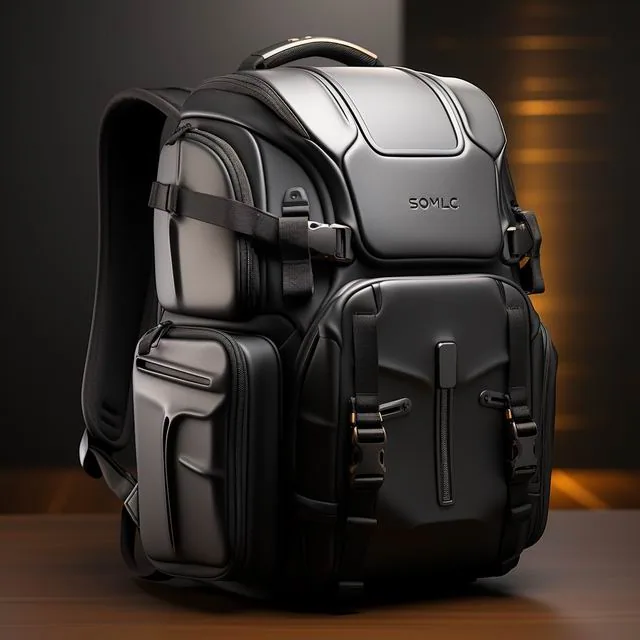
Pack in three zones so the security process takes the fewest possible actions: liquids and gels in one transparent 1,000 ml bag stored in an outer pocket you can reach without opening anything else, every large electronic device in a sleeve that opens flat to 180 degrees and lifts out in one motion, and nothing metal left loose anywhere in the bag. Taken together, those three rules cut repacking to about ninety seconds and reduce the chance of a manual search, which currently happens on roughly one in forty UK departures. Practise the routine at home once with a timer, loading every item you intend to carry and working through unpacking and repacking in real conditions. Ten minutes of rehearsal removes most of the fumbling that makes people dread the tray table, and it reveals which pockets genuinely need reorganising before you reach the airport itself. Learn the routine once and every departure afterwards becomes routine too.
Then design for the specific constraints of the checkpoint. Container limits are 100 ml each, all fitting inside one resealable bag no larger than 1,000 ml, and anything above that is confiscated rather than merely inspected — the rule is published by UK government hand luggage guidance and applied literally by staff. Separate screening of liquids is standard at Heathrow, Gatwick, Manchester and Edinburgh, so reaching your bag in one motion genuinely matters.
Finally, think about the far side of the scanner rather than just getting through it. You will be repacking while standing at a bench with people behind you, potentially with a jacket, belt and shoes in your hands, and whatever system you choose must survive that ninety-second scramble. Everything below assumes you are carrying a laptop backpack through a UK airport, and each recommendation is mirrored in the packing notes inside laptop backpack guides.
What Has to Come Out of Your Bag at UK Security?
Four categories must be removed and screened separately. Large electronics — laptops, tablets, cameras, e-readers and handheld consoles — go into their own tray. Liquids and gels, including anything pasty or spreadable, stay inside the transparent bag for separate screening. Anything worn or carried such as belts, coats and jackets also comes off. Finally, some UK airports require powders above 350 ml to be presented separately.
Certain items matter less than people think. Small electronics such as phones and smartwatches can stay in the bag at most UK checkpoints, though a dense cluster of cables and USB hubs can look suspicious enough on the X-ray to trigger a manual search. If in doubt, spread cables out in a flat organiser measuring around 250 x 180 mm rather than letting them bunch.
The practical answer is knowing your own bag. Some laptop backpacks are designed to open like a book so the sleeve lies flat without unpacking anything else — these take perhaps fifteen seconds at the tray; roll-top bags without a dedicated sleeve can take two minutes and cause genuine queue pressure. Check how your own model behaves before you leave home, and compare options in airport-friendly laptop backpacks if you fly more than twice a year.
| Bag feature | Typical time at tray | Notes |
|---|---|---|
| Clamshell opening to 180 degrees | Around 15 seconds | Sleeve lifts out with no unpacking |
| Top-loader with rear sleeve | 40 to 60 seconds | Contents above the sleeve must move |
| Roll-top with internal pouch | Around 90 seconds | Everything gets unpacked |
| Dedicated external liquids pocket | Saves 20 to 30 seconds | Reachable without opening main body |
| Cable organiser pouch | Saves 15 seconds | Prevents manual searches |
| External metal hardware clusters | Adds 20 to 40 seconds | Buckles near the base trigger searches |
How Should You Zone the Bag for the Fastest Clearance?
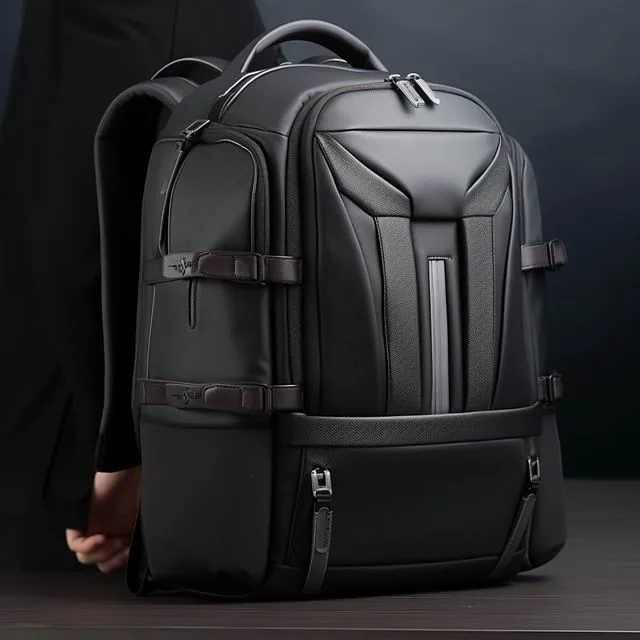
Use a three-zone system and keep it identical on every flight. Zone one is the fast lane: everything that must come out, stored within 50 mm of an outer opening. That means the laptop in its rear sleeve, liquids in an external side pocket, and the wash bag in the lid. Nothing should sit on top of those three items, and nothing requiring removal should ever be buried in the main compartment.
Zone two is ordinary contents that stay inside: clothing rolled into cubes, books, chargers that need not come out, and food purchased after security. These can be packed tight because they will not be touched, though anything dense and electronic-looking should be laid flat rather than rolled, because overlapping metal on an X-ray is what prompts secondary searching.
Zone three at the outer face holds anything you will need immediately afterwards: boarding pass wallet, hand sanitiser within limits, headphones and sunglasses. Repacking is always the slowest part, and having the real essentials at the outside of the bag saves a further thirty seconds while standing at the bench. Solo UK travellers manage this with one hand and fifteen seconds of practice. Consistent zones also help you pack the same way every time, which is the real benefit described across organised laptop backpack layouts.
How Do You Handle Laptops and Tablets Efficiently?
Choose or modify your bag so the device leaves in one movement. A dedicated sleeve with a zip on three sides, opening flat to 180 degrees, means the laptop goes onto the tray in about three seconds and returns just as quickly. If your bag has only an internal pouch, transfer the device into a separate slim sleeve costing £18 to £32 before you pack, so it can be pulled rather than hunted.
Never stack devices. Two laptops lying flat against the X-ray produce a dense, ambiguous image that operators resolve by asking you to separate them — adding sixty seconds or more. Keep one device in the dedicated sleeve and any second machine flat in the main compartment against the back panel, separated by at least 20 mm of clothing.
Cables are the hidden problem. Coil each one, secure it with a Velcro tie costing £2 for a pack of ten, and lay everything flat in an organiser rather than letting four leads twist together. Charger bricks, particularly UK three-pin plugs at roughly 40 x 40 x 20 mm, read as dense objects; spread them out. If the bag also contains a power bank, remember that cells up to 100 Wh travel freely, which covers almost everything at 20,000 mAh. Check maximum sleeve dimensions against your own machine before relying on any laptop backpack size guide.
What Is the Best Way to Pack Liquids and Toiletries?
Everything goes into one transparent resealable bag of up to 1,000 ml, typically around 200 x 200 mm, with no container exceeding 100 ml. Buy proper travel bottles of 50 ml or 75 ml rather than decanting into whatever is available, because security staff read labels and anything unlabelled invites questions. A set of four bottles costing £6 covers a fortnight away.
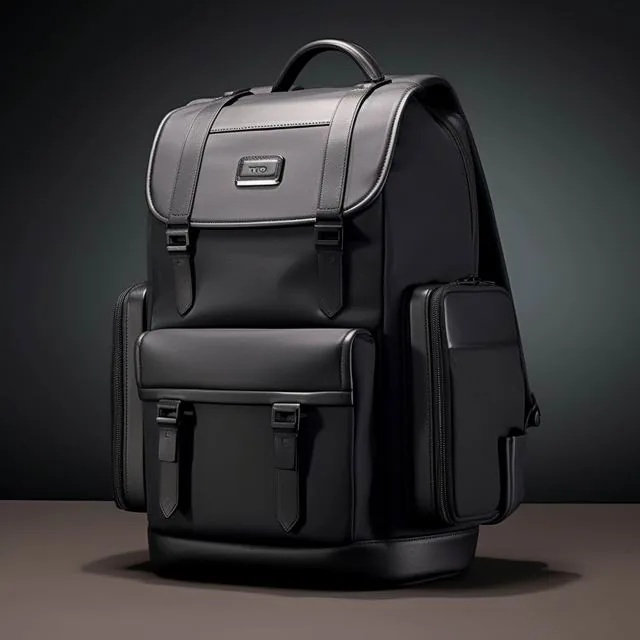
Then place the bag where you can grab it. External side pockets or the top lid are ideal; deep inside the main compartment is disastrous. Some laptop backpacks include a dedicated transparent liquids pocket precisely for this reason, typically measuring 220 x 150 mm, and it is the single most useful airport feature any bag can have, saving twenty to thirty seconds every time.
Finally, check for forgotten items that count as liquids. Lip balm, hair gel, toothpaste, roll-on deodorant, hand sanitiser and even soft cheese all fall under the 100 ml rule, and they are the usual cause of a five-minute argument with a supervisor. Empty the whole wash bag onto a table once before travelling, sort anything gel-like into the transparent bag and keep solid items such as soap bars and deodorant sticks outside it. Put yours where your hand falls naturally, guided by the pocket maps printed for each airport-friendly laptop backpack.
What Should You Do With Clothing, Shoes and Metal?
Think about what you will remove at the checkpoint. Belts with metal buckles come off; shoes with steel shanks often do. If you routinely fly, choose webbing belts with plastic buckles costing £12, which pass through metal detectors unchanged, and slip-on shoes that stay on your feet. Both save around forty seconds and, more importantly, mean fewer things to carry at the far side.
Coats go into the tray, so pack them where they lift free immediately rather than compressed into the bottom. If you are travelling from somewhere cold, wear your heaviest layer through the airport and stow it in the overhead locker afterwards. Remember the rolled-jacket trick: heavy items worn rather than packed cost nothing against your allowance in most cases.
Metal scattered through the bag creates false positives. Clustered keyrings, multi-tools, torch chargers and USB-C hubs all read as anomalies. Put small metal in one pouch, keep keys loose and flat at the top of the bag, and leave anything resembling a blade at home — confiscation rates for everyday multitools run high, and there is no appeal process at the checkpoint itself. Metal layouts are mapped for each model reviewed in UK laptop backpack comparisons.
How Do You Repack Efficiently on the Other Side?
Rehearse this because it is where delays actually happen. Move straight past the trays to the bench, taking everything with you, then work in reverse order: shoes on first, belt next, laptop into its sleeve, liquids pocketed last because nothing else should go in there. Ninety seconds is realistic with practice, and anything beyond three minutes means your system has failed somewhere.
Use one tray per category where possible — electronics in one, clothing in another — rather than four small piles, because dropping items while juggling is the commonest cause of the frantic "has anyone seen a black charger" moment at every UK airport. Keep your phone and boarding pass in your pocket rather than the tray, which reduces losses dramatically.
Finally, close and reposition the bag properly before walking away. Straps hanging loose get caught in escalators; side pockets left open shed contents in crowded corridors. Take fifteen seconds to clip everything, put the bag on your back rather than carrying it by one strap, and check you have all three essentials: device, liquids and boarding pass, in that order. British airports vary considerably in bench space, so assume you get none and always repack at the far end. Practise the sequence against the packing notes shipped with every travel laptop backpack we recommend.
What Triggers Secondary Searches Most Often?
Four triggers dominate. Organic or dense masses that operators cannot identify — typically rolled clothing packed very tightly, a large battery, or several electronics stacked. Anything liquid over 100 ml, whether noticed or not. Sharp objects including multitools, tweezers and even metal nail files. And loose lithium batteries of any type, which should never be packed in a bag going anywhere except the cabin.
Reduce risk by spreading rather than stacking. Lay items flat across the bag's width rather than layering them: X-rays are two-dimensional images and overlapping density is the enemy of a quick read. Anything with internal wiring — USB hubs, camera bodies, power banks — deserves its own space rather than being buried against your washing.
Volume matters as much as content. A bag filled past roughly 85% of capacity is harder to see through, and while operators rarely ask you to unpack for that reason alone, combined with any anomaly it raises the odds significantly. Leaving a little headroom costs nothing and occasionally saves ten minutes, as recorded across the frequency charts published for travel-ready laptop backpacks.
Which Extras Actually Help at UK Airports?
Three inexpensive items improve the routine considerably. A transparent liquids wallet with a carabiner costing £7 clips to the outside of any bag so the required liquids literally hang where you can reach them; a 250 x 180 mm cable organiser at £6 keeps everything flat and visible; and a slim document wallet of 330 x 240 mm means boarding passes and passport stay together rather than disappearing into the main compartment.
Fast-track and loyalty schemes are worth evaluating honestly. Priority security lanes at Heathrow and Manchester typically cost £5 to £12 per flight and save between eight and twenty minutes at peak times, which for anyone travelling weekly justifies itself immediately. However, none of that helps if the bag itself slows you down, since the delay most people create happens at the tray rather than the queue.
Finally, plan for the return journey. Anything opened and repacked during the trip tends to migrate into whatever space was available, so schedule five minutes in the departure lounge to restore your zones. Travellers who do this land with a tidy bag; those who do not spend fifteen minutes hunting for chargers when they get home, which is why the same zone system is repeated throughout UK travel laptop backpack advice. Bundle these together and keep them permanently packed rather than assembled before each trip.
What Should Bulk Buyers Specify for Airport-Friendly Bags?
Start with the two features that genuinely matter: a clamshell opening to 180 degrees with a rear-accessible laptop sleeve, and an external liquids pocket of at least 220 x 150 mm. Add a flat internal organiser panel roughly 250 x 180 mm and limit external metal hardware to what is structurally needed. Those four clauses typically add £1.20 to £2.40 per unit and change the ownership experience completely for anyone flying monthly.
Then agree verification and terms in writing. Standard practice is MOQ 500 pcs per colourway, sampling in 6-10 working days including a timed tray test with a 14-inch dummy laptop, bulk production 35-50 days, and inspection to AQL 2.5 (ISO 2859-1) per tables published by ISO 2859-1. Abrasion resistance of coating fabrics should additionally be verified against methods in the ASTM standards library, since belt-loaders and overhead lockers punish finishes.
Finally, consider documentation. Every bag should ship with a card stating maximum device sizes — typically 14-inch at 320 x 220 mm and 16-inch at 355 x 245 mm — plus the current liquids rule in plain English. Our production team does this routinely; our 4,950 m² SGS-verified production floor runs the timed tray test on every new tooling rather than once, and corporate clients receive the results so their travellers know what to expect at Heathrow and beyond, details also summarised in the laptop backpack buying guide.
Frequently Asked Questions
What items must come out of a backpack at UK security?
Large electronics including laptops, tablets and cameras, all liquids and gels in one transparent bag up to 1,000 ml, plus worn items such as coats and belts. Some UK airports also require powders above 350 ml separately. Nothing else needs removing, though anything dense and electronic-looking is best laid flat to avoid manual searches. Electronic wallets and metal keyrings cause avoidable searches when left buried in the bag.
How much liquid can you carry through UK airport security?
Containers up to 100 ml each, all fitting inside one resealable transparent bag of no more than 1,000 ml, typically around 200 x 200 mm. Anything larger is confiscated rather than merely inspected. Remember that toothpaste, lip balm, hair gel and roll-on deodorant all count, and that solid items such as soap bars do not. One transparent bag typically measures about 200 x 200 mm in practice.
Should laptops be packed in a separate sleeve inside the bag?
Yes, ideally. A slim sleeve costing £18 to £32 lets the device lift out in one movement rather than being hunted through clothing, and it also protects against point loads during the flight. Choose a bag whose sleeve opens flat to 180 degrees so the laptop reaches the tray in about three seconds. Slim sleeves cost between £18 and £32 depending on size and padding.
How long should getting through security actually take?
Around fifteen to forty seconds at the tray for a well-packed bag, plus ninety seconds repacking at the bench. Anything over three minutes means something is buried, too dense or too metallic. Travellers using dedicated external liquids pockets typically save twenty to thirty seconds on every single flight through Heathrow or Manchester. Budget 3 minutes at most, or re-check how your bag is loaded before flying again.
What triggers a manual bag search most often?
Three things: overlapping dense items such as stacked laptops or coiled cables, liquids above 100 ml, and forgotten sharp objects including multitools or metal nail files. Spread items flat rather than layering them, keep small metal in one pouch, and never overfill past about 85% of the bag's capacity. Powders above 350 ml are screened separately at several UK airports.
Can I keep shoes and belts on at UK security?
Usually you must remove belts with metal buckles, and many checkpoints require shoes off. Webbing belts with plastic buckles costing £12 save about forty seconds, and slip-on leather shoes often pass unchanged. Anything you do remove should be stowed where it lifts free rather than compressed at the bag's base. Plastic-buckled webbing belts cost about £12 and pass through unchanged.
How do I stop losing things at the security tray?
Use one tray per category, keep your phone and boarding pass in your pocket rather than the tray, and repack at the bench rather than standing at the rollers. Ninety seconds of deliberate repacking — shoes, belt, laptop, then liquids — protects everything and prevents the familiar panic over missing chargers. One tray per category reduces losses dramatically at busy UK checkpoints. Count three items out and the same 3 back before walking away.
Can I take power banks through security in hand luggage?
Yes, up to 100 Wh without airline approval, covering almost any 20,000 mAh pack at around 74 Wh. Anything between 100 and 160 Wh needs airline consent, which is rarely granted quickly. Power banks must never travel in hold luggage, and terminals should be covered to prevent short circuits. Cells up to 100 Wh need no airline approval whatsoever. A 20,000 mAh pack sits at roughly 74 Wh, well inside the limit.
Can I bring a multitool in my cabin backpack?
No. Even the smallest folding tool with a blade will be confiscated, and there is no appeal at the checkpoint itself. Tweezers and metal nail files are borderline depending on staff. Anything remotely blade-like stays at home; a £6 plastic SIM tool and a small folding scissors under 60 mm are the only safe exceptions. Small folding scissors under 60 mm are occasionally permitted.
How should cables be packed to avoid searches?
Coil each cable, secure with a Velcro tie costing £2 for ten, and lay everything flat rather than twisted. Cables bunched into a dense mass read as anomalies on two-dimensional X-ray images, which is why operators ask you to open the bag. A flat organiser around 250 x 180 mm solves the problem entirely. A flat organiser panel of 250 x 180 mm solves problem entirely.
What backpack type is fastest at airport security?
Significantly. Clamshell bags opening to 180 degrees take about fifteen seconds at the tray, top-loaders forty to sixty seconds, and roll-tops without dedicated sleeves around ninety seconds plus queue pressure. If you fly more than twice a year, prioritise that opening style over almost any other feature. Roll-tops without sleeves take roughly 90 seconds at the tray. Clamshell bags take about 15 seconds, against 40 to 60 for top-loaders.
What should I do with my coat and jacket?
Coats come off and go into a tray, so wear heavy layers through the airport and stow them afterwards rather than packing them first. If travelling from cold regions, treat the coat as worn rather than packed: most airlines ignore clothing you have on, so it costs nothing against your allowance. Most airlines ignore clothing you wear through security entirely, so a 900 g coat costs nothing against a 10 kg allowance.
Is there a size limit for cabin backpacks at UK airports?
Airlines set the limits, not airports, and they vary enormously: Ryanair's free personal item is 40 x 25 x 20 cm, easyJet allows 45 x 36 x 20 cm at 15 kg and British Airways permits 56 x 45 x 25 cm at 23 kg. Check your specific carrier before flying rather than assuming uniformity. Ryanair permits just 40 x 25 x 20 cm free of charge.
What should bulk buyers specify for airport-friendly laptop backpacks?
Require a clamshell 180-degree opening with rear sleeve access, an external liquids pocket of at least 220 x 150 mm, a flat organiser panel and minimal external metal. Expect £1.20 to £2.40 per unit for these clauses. Standard terms are MOQ 500 pcs, sampling in 6-10 working days, bulk production 35-50 days and AQL 2.5 inspection. Timed tray tests should use a 14-inch dummy laptop for realism.
Get a Free Quote for Custom How to Pack a Backpack for Airport Security
Planning a branded programme? Our production team works to MOQ 500 pcs, 6-10 working day sampling and 35-50 day bulk lead times, with AQL 2.5 inspection to ISO 2859-1. Send your brief and we will return a costed quotation in 24-48 hours.
Mens Backpack Guide Editorial Team — Buying guides and sourcing notes for the UK men's backpack market, coordinated by QUANZHOU JUNYUAN BAGS. Commercial figures such as MOQ 500 pcs, 6-10 day sampling and 35-50 day production reflect published programme terms.