There is a specific breed of professional who needs to carry not one but two, three, or even more laptops in a single bag. IT consultants managing equipment deployments across multiple client sites. Freelance developers maintaining both Windows and Mac environments for different projects. Technology reviewers and journalists who test devices simultaneously. Photographers who carry a primary editing machine and a secondary presentation laptop for client meetings. Educators transporting classroom sets of devices. And corporate executives who keep a primary laptop for daily work and a backup machine for critical presentations where failure is not an option. These professionals face a unique challenge that standard laptop backpacks simply cannot solve, because most backpacks offer exactly one laptop compartment and assume your computing needs are limited to a single device.
Carrying multiple laptops in the same backpack introduces specific challenges that go well beyond simply finding enough space. The primary concern is protection from device-on-device contact. Two laptops pressed against each other without adequate separation create a pressure point that can crack screens, damage hinges, and cause cosmetic damage to expensive aluminum chassis. The combined weight of multiple laptops, chargers, and accessories can exceed 10 kilograms, demanding a carrying system that distributes load effectively across the shoulders, back, and hips to prevent fatigue and potential injury during extended carries. And the organizational complexity of managing cables, chargers, peripherals, and accessories for multiple devices requires a level of compartmentalization that most standard backpacks lack entirely.
We tested 16 backpacks specifically for their ability to carry two laptops simultaneously, evaluating each one for device protection quality, weight distribution and comfort, organizational capacity for multi-device accessories, and overall build quality under heavy loads. Our testing included full-day carries through urban environments, transit systems, and office buildings with each backpack loaded with two 15-inch laptops, both chargers, a mouse, cables, headphones, and personal items. Only backpacks that excelled across all evaluation criteria earned a recommendation in this specialized category.
Understanding the Unique Challenges of Multi-Laptop Carry
Device Separation and Protection Engineering
The most critical design requirement for a multi-laptop backpack is rigid separation between device compartments. When two laptops are stored in the same compartment separated only by a thin fabric divider, every step you take creates contact between the devices that accumulates into screen damage, chassis scratches, and potential hinge stress over time. The best multi-laptop backpacks solve this with rigid divider walls constructed from molded EVA foam or hard shell panels that maintain a permanent gap between devices regardless of how the backpack is compressed, dropped, or set down. Each laptop should sit in its own fully padded sleeve with at least 10mm of foam on all sides, and the sleeves should be positioned to distribute weight symmetrically across the back panel for optimal carrying comfort.
Weight Distribution Under Heavy Loads
Two laptops plus their chargers, accessories, and personal items can easily exceed 12 kilograms, a weight that will cause significant shoulder fatigue in a standard backpack within 30 minutes. Multi-laptop backpacks must address this through engineering solutions including padded shoulder straps at least 50mm wide to distribute pressure, load-lifter straps that pull the top of the backpack close to your body and transfer weight to your upper back, a sternum strap that prevents the shoulder straps from spreading apart under heavy loads, and a padded hip belt that transfers a significant portion of the weight from your shoulders to your hips and legs. The best designs position the laptops close to the back panel, creating a center of gravity that sits directly over your hips rather than pulling backward away from your body, which is the primary cause of fatigue during extended heavy carries.
Multi-Device Cable and Accessory Management
Each laptop requires its own charger, and most professionals carry additional peripherals including mice, external drives, USB hubs, presentation clickers, and adapter cables. Managing cables and accessories for two devices creates organizational complexity that demands dedicated pockets for each item, preventing the tangle that inevitably develops when everything is thrown into a single compartment. The best multi-laptop backpacks provide labeled or color-coded organizational zones, elastic loops sized specifically for charger bricks and cables, and separate compartments for peripherals associated with each device, making it possible to access the charger for your work laptop without disturbing the setup for your personal machine.
Top Backpacks for Carrying Multiple Laptops
1. TUMI Alpha Bravo Expansion Laptop Briefcase
The TUMI Alpha Bravo Expansion Laptop Briefcase is the premier choice for professionals who need to carry multiple laptops with a level of sophistication that matches their corporate environment. This extraordinary bag features two dedicated laptop compartments, each with independent padded sleeves that accommodate laptops up to 15 inches. The compartments are separated by a rigid divider wall that prevents any device-on-device contact, and each sleeve uses TUMI proprietary suspension technology that keeps the laptop elevated above the base of the bag for impact protection when the bag is set down on hard surfaces.
The expansion feature increases the main compartment capacity by 20 percent, providing additional space for documents, presentation materials, or personal items when needed. The ballistic nylon construction is virtually indestructible and maintains its professional appearance through years of heavy daily use. TUMI TruTrak luggage pass-through allows the bag to slide over telescopic handles for seamless airport navigation, and the lockable zippers provide security in crowded environments. The organizational system includes a business card holder, pen slots, file dividers, and a removable accessory pouch. The padded shoulder straps are contoured for comfort under heavy loads, and the bag includes a padded grab handle on all sides for multiple lifting options. This is the backpack that closes enterprise deals while protecting your valuable technology.
2. Lowepro ProTactic BP 450 AW II
The Lowepro ProTactic BP 450 AW II offers the most versatile multi-laptop carrying solution available, with the ability to accommodate two laptops up to 15 inches in separate padded compartments that can be accessed from four different sides. The dual laptop configuration positions one device in the rear compartment against the back panel and the second in the front compartment behind the main organizational section, with rigid padding between them providing complete isolation and protection. The modular Smart Divider system allows you to customize the space between and around the laptops for cables, chargers, and accessories specific to each device.
The ProTactic excels in heavy-load comfort with molded EVA foam back panel construction that provides both ventilation and structural support, contoured shoulder straps with load-lifter attachments, and a removable hip belt that transfers weight effectively during extended carries with both laptops plus full accessory loads. The included All Weather Cover provides complete rain protection for the entire bag including both laptop compartments. The MOLLE exterior attachment system allows you to add external pouches for additional devices or accessories, making this the most expandable and customizable multi-laptop backpack in our lineup. The rugged construction and professional appearance make it equally appropriate on construction sites, in corporate server rooms, and on location for technology deployments.
3. Tomtoc Professional Multi-Device Backpack
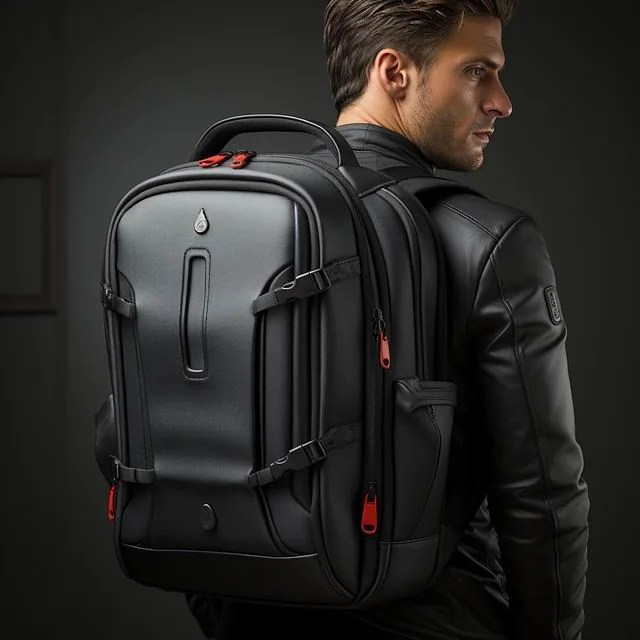
The Tomtoc Professional Multi-Device Backpack was designed from the ground up for professionals who need to carry two laptops simultaneously, and it shows in every design decision. The dual laptop compartments feature Tomtoc signature CornerArmor technology with military-grade drop protection on reinforced corners, and the two sleeves are positioned on opposite sides of the backpack with a padded central divider that creates a permanent separation zone for cables and accessories. Each sleeve accommodates laptops up to 15.6 inches with cases up to 5mm thick, and the fleece-lined interiors prevent any possibility of cosmetic damage to your devices.
What distinguishes the Tomtoc from competitors at a similar price point is the attention to carrying comfort under heavy loads. The shoulder straps are 55mm wide with dual-density foam padding that distributes pressure across a larger surface area, and the sternum strap with magnetic Fidlock buckle provides quick and secure adjustment. The ventilated back panel uses suspended mesh construction that creates an air gap between the bag and your back, preventing heat buildup during extended carries. The water-resistant fabric and YKK aquaguard zippers protect your investment from weather damage, and the structured self-supporting design allows the backpack to stand upright when set down, keeping both laptops stable and protected. The front admin panel provides dedicated pockets for accessories associated with each laptop, with elastic organizer loops sized for charger bricks, cables, and peripheral devices. Water-resistant finishes are coatings rather than weaves, and ASTM D751 is the standard method used to test how those coatings perform after months of daily use.
4. Thule Subterra 28L Backpack
The Thule Subterra 28L brings Scandinavian design precision to the multi-laptop challenge with a clean, minimalist exterior that conceals sophisticated device protection and organization features. The primary laptop compartment accommodates a laptop up to 15 inches in a padded sleeve with a fleece lining, while a secondary slim sleeve in the front panel provides dedicated protection for a second laptop up to 14 inches. The two compartments are positioned at different depths within the backpack, creating a staggered arrangement that reduces the overall profile while maintaining complete separation between devices.
The Thule Subterra excels in build quality with 800D nylon construction that resists abrasion and weather, reinforced stitching at every stress point, and YKK zippers that operate smoothly regardless of load. The shoulder straps feature Thule BioZone construction with structured foam padding and breathable mesh that wicks moisture during warm weather commutes. The removable sternum strap and adjustable load lifters allow you to fine-tune the carrying position for optimal weight distribution when both laptops and accessories are loaded. The main compartment opens in a clamshell design for easy packing, and the front organizational panel provides elastic loops for cables, a key leash, and a zippered pocket for small accessories. The side compression straps stabilize the load when the bag is not fully loaded, maintaining a compact profile suitable for cycling commutes and crowded transit.
5 Two laptops plus chargers easily push a bag past ten kilos, and HSE manual handling guidance is the reference to check before making that your daily commute load.. Briggs Riley Cargo Backpack
The Briggs Riley Cargo Backpack represents the intersection of luggage-grade durability and professional tech organization, offering the capacity and protection needed for two laptops plus a full complement of business essentials. The dual laptop compartments use Briggs Riley proprietary Ballistic Nylon with DuraGlide zippers that operate smoothly even after years of heavy use, and each sleeve features a padded cradle design that suspends the device above the base of the bag. The cargo designation refers to the expandable main compartment that provides generous space for documents, clothing, or additional equipment alongside the two laptops and their accessories.
Briggs Riley backs this backpack with their Simple as That lifetime warranty that covers all repairs including airline damage, demonstrating extraordinary confidence in the product durability. The carrying system features contoured shoulder straps with padded mesh covering, a sternum strap for load stability, and a luggage pass-through sleeve for integration with rolling luggage during travel. The organizational details are comprehensive, including a business card holder, multiple pen slots, a removable tech organizer pouch, and a dedicated pocket for a power bank with internal cable routing. The ballistic nylon exterior resists scuffs and scratches far better than standard materials, and the structured design maintains a professional appearance even when the bag is fully loaded with both laptops and maximum accessories. This is the backpack for professionals who expect their gear to last a decade or more.
Weight Management Tips for Multi-Laptop Carries
Minimizing Load Without Sacrificing Necessity
Every gram matters when you are carrying two laptops and their associated accessories. Choose the lightest chargers available for your devices, as third-party gallium nitride chargers can be significantly lighter than the original equipment chargers while providing the same power output. Consider whether you truly need both laptops every day, or if one device can remain at the office or at home on certain days to reduce your carry weight. Carry only the essential cables and adapters rather than a complete set of peripherals, and store redundant cables at your desk and at home to avoid carrying duplicates.
Optimizing Carrying Comfort for Heavy Loads
Adjust your backpack straps so the center of gravity sits at or just above your natural waistline, with the top of the backpack level with your shoulders. Tighten the load-lifter straps to pull the top of the backpack close to your upper back, which transfers weight from your shoulders to your upper body frame. Fasten the sternum strap to prevent shoulder straps from spreading apart under heavy loads, and use the hip belt if your backpack has one to transfer a significant portion of the weight to your hips and legs. Take regular breaks during extended carries, and alternate which shoulder you favor when temporarily setting the bag down to prevent muscle imbalance.
Conclusion
Carrying multiple laptops safely and comfortably requires purpose-built backpacks that address the unique challenges of device separation, weight distribution, and multi-device organization. The TUMI Alpha Bravo Expansion sets the standard for executive multi-laptop carry with unmatched sophistication and protection. The Lowepro ProTactic BP 450 AW II offers the most versatile and modular solution for technical professionals. The Tomtoc Professional Multi-Device Backpack delivers outstanding protection and comfort at a competitive price point. The Thule Subterra 28L provides Scandinavian design precision with excellent build quality. The Briggs Riley Cargo Backpack offers luggage-grade durability backed by an extraordinary lifetime warranty. Whichever you choose, investing in a purpose-built multi-laptop backpack protects your valuable technology and your physical comfort during every carry.