Work-from-Anywhere Kit: Mobile Office Essentials for Professionals
Table of Contents
- The Rise of Location-Independent Work
- Choosing the Right Laptop for Mobile Work
- Portable Monitors: Extending Your Workspace
- Staying Connected: Mobile Hotspots and eSIMs
- Power Solutions That Keep You Running
- Backpack Integration: Carrying It All
- Weight Optimization Strategies
- Setting Up Your Mobile Workflow
- Complete Cost Breakdown
- Frequently Asked Questions
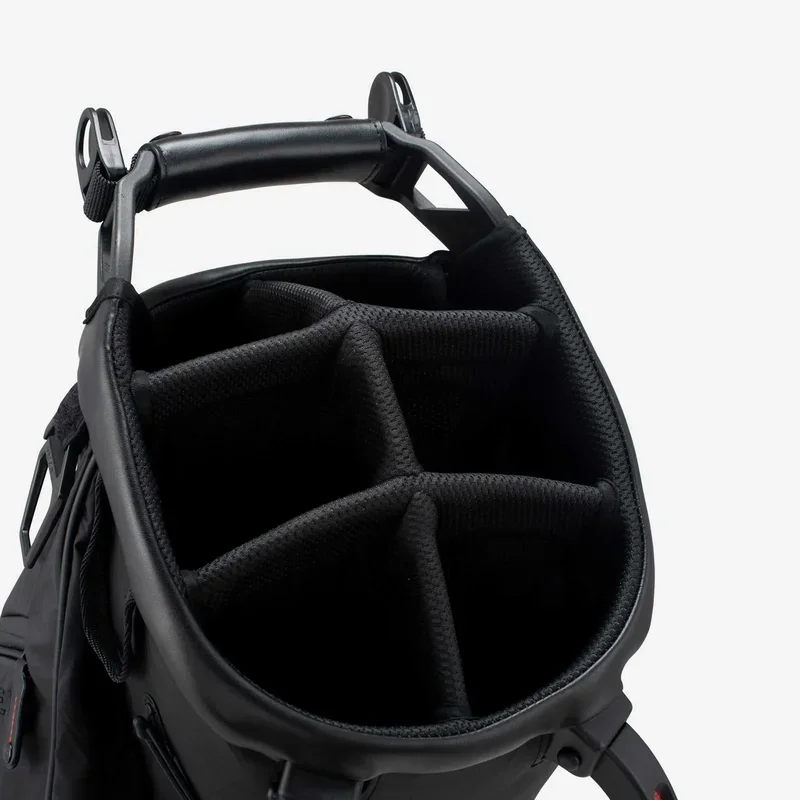 The modern professional's mobile office can fit inside a single backpack.
The Rise of Location-Independent Work
The traditional office has dissolved. In 2026, over 40 percent of knowledge workers in the UK report working from at least three different locations each week. Coffee shops, co-working spaces, airport lounges, hotel lobbies, and park benches have all become legitimate workstations. This shift is not a temporary trend; it is a fundamental reorganisation of how professional work gets done.
The work-from-anywhere movement demands a specific set of tools. You cannot simply carry your desktop setup to a cafe. You need equipment that is portable, reliable, and powerful enough to handle demanding tasks. Building this kit requires careful thought about compatibility, weight, budget, and daily workflow. Get it right, and you unlock extraordinary freedom. Get it wrong, and you spend more time troubleshooting than producing.
This guide walks you through every component of a professional work-from-anywhere kit. We cover laptops, portable monitors, connectivity, power, backpack integration, and the soft skills of setting up productive workflows in unfamiliar environments. Whether you are a freelancer, a remote employee, or an entrepreneur who splits time between cities, these mobile office essentials will transform how you work.
Choosing the Right Laptop for Mobile Work
The laptop is the gravitational centre of your mobile office. Every other piece of gear orbits around it. Choosing the right one requires balancing performance, battery life, weight, and screen size.
Key Specifications to Prioritise
For most professionals, the sweet spot in 2026 looks like this: a 13 to 14-inch display, a processor in the latest generation from either Intel Core Ultra or Apple M-series, 16 GB of RAM minimum, and a solid-state drive of at least 512 GB. Weight should stay under 1.5 kilograms. Battery life must deliver a real-world eight hours, not the manufacturer's optimistic claim.
The screen matters more than most people realise. You will stare at it for eight or more hours daily. Look for IPS or OLED panels with at least 300 nits of brightness. Anti-glare coatings help enormously when working near windows or outdoors. A 16:10 aspect ratio gives you more vertical space for documents and code, which is where most professionals spend their time.
Top Picks by Budget
Budget (under £700): Acer Swift Go 14 or Lenovo IdeaPad 5 Pro. Both offer competent performance and acceptable build quality. Battery life averages seven hours.
Mid-range (£700-1200): Dell XPS 13, MacBook Air M3, or Framework Laptop 13. These machines combine excellent build quality, all-day battery life, and strong resale value.
Premium (over £1200): MacBook Pro 14 or ThinkPad X1 Carbon. For professionals who need sustained performance for video editing, software development, or data analysis, these deliver without compromise.
The Framework Laptop deserves special mention for the work-from-anywhere crowd. Its modular design means you can repair and upgrade individual components. If a port breaks or you need more storage, you swap the module rather than replacing the entire machine. For people who travel constantly, this modularity reduces long-term costs and electronic waste.
 Choosing the right laptop is the single most important decision for your mobile office kit.
Portable Monitors: Extending Your Workspace
Working on a single laptop screen all day crushes productivity. Studies consistently show that dual monitors increase output by 20 to 30 percent. Portable monitors solve this problem for mobile workers.
The best portable monitors in 2026 weigh between 600 and 800 grams, connect via a single USB-C cable, and offer 14 to 16-inch IPS panels with full HD or 2K resolution. Brands like ASUS ZenScreen, Lenovo ThinkVision, and Arzopa dominate this space.
When selecting a portable monitor, prioritise these features: USB-C connectivity with power delivery pass-through, a built-in stand or magnetic cover that doubles as a stand, and anti-glare coating. Touchscreens add cost and battery drain without meaningful productivity gains for most professionals.
Position your portable monitor above or beside your laptop screen. The goal is to maintain a neutral neck position. If you work from the same locations regularly, consider a lightweight laptop stand to raise your primary screen to eye level. The Roost stand weighs just 210 grams and folds to the size of a ruler.
Staying Connected: Mobile Hotspots and eSIMs
Reliable internet connectivity is the lifeline of mobile work. Depending entirely on public WiFi is reckless. You need your own connection strategy.
Portable WiFi Hotspots
Dedicated mobile hotspots like the Netgear Nighthawk M6 or GlocalMe Ultra 5 provide reliable, high-speed connections wherever cellular coverage exists. They support multiple device connections, meaning your laptop, phone, and tablet can all share one data plan. Battery life typically runs 10 to 12 hours, which covers a full workday.
eSIM Technology
For international workers, eSIM technology has revolutionised connectivity. Services like Airalo, Holafly, and Nomad let you purchase data plans for over 200 countries instantly. No physical SIM card, no visiting a local shop. You download a profile, activate it, and you are online.
Most modern laptops support WiFi 6E or WiFi 7, which means faster connections and better performance in crowded environments like airports and co-working spaces. When choosing a laptop, always verify the WiFi standard it supports.
Pro Tip: Always carry a backup connectivity option. If your primary is a phone hotspot, have an eSIM ready on your laptop. If you use a dedicated hotspot, ensure your phone can tether as a fallback. Redundancy is the hallmark of reliable mobile work.
Power Solutions That Keep You Running
A dead laptop in a cafe with no accessible outlet is a productivity emergency. Power management separates amateurs from professionals in the mobile work world.
Invest in a high-capacity USB-C power bank with at least 65 watts of output. This specification matters enormously. A 20-watt power bank will charge your phone but barely trickle-charge a laptop. The Anker 737 PowerBank (140W, 24,000 mAh) or the Shargeek Storm 2 are excellent choices that can fully recharge most ultrabooks once.
Carry a compact GaN charger rated at 65W or higher. GaN (gallium nitride) technology makes chargers dramatically smaller than older silicon-based designs. A single 65W GaN charger can power your laptop, tablet, and phone, eliminating the need to carry multiple chargers.
 A quality GaN charger and power bank ensure you never run out of juice.
Backpack Integration: Carrying It All
Your backpack is the vessel that holds your entire mobile office together. It deserves as much attention as any tech component.
The ideal work-from-anywhere backpack needs a padded laptop compartment fitting up to 16 inches, a separate tablet sleeve, organiser pockets for chargers and cables, a dedicated pocket for your portable monitor, and comfortable shoulder straps with a sternum strap for weight distribution. Water resistance is non-negotiable.
Popular options include the Peak Design Everyday Backpack, the Bellroy Transit Backpack, and the Aer Tech Pack. Each balances organisation, comfort, and professional appearance. Avoid backpacks that look like hiking gear; you want something appropriate for a co-working space or client meeting.
| Backpack | Laptop Size | Volume | Weight | Best For |
|---|---|---|---|---|
| Peak Design Everyday 20L | 15" | 20L | 1.4 kg | Photographers and creatives |
| Bellroy Transit 28L | 16" | 28L | 1.2 kg | All-round professionals |
| Aer Tech Pack 3 30L | 16" | 30L | 1.5 kg | Heavy tech loads |
| Tomtoc 360 20L | 15.6" | 20L | 0.9 kg | Lightweight daily carry |
Weight Optimization Strategies
Every gram matters when you carry your office on your back all day. The total weight of a well-optimised mobile office kit should stay under 5 kilograms, including the backpack itself.
Start by auditing each item weekly. Ask yourself: did I use this yesterday? If a cable, adapter, or accessory has not been used in five working days, leave it behind. Most professionals carry 30 percent more than they need.
Consolidate wherever possible. A single 65W GaN charger with multiple USB-C ports replaces three separate chargers. A USB-C hub with HDMI, USB-A, and SD card slots replaces a bag full of dongles. A power bank that doubles as a phone charger eliminates one more item.
Setting Up Your Mobile Workflow
Gear is only half the equation. How you work from different locations matters equally. Establish a repeatable setup ritual that takes under five minutes.
Your ritual should include: connecting to your personal hotspot or VPN, opening your task manager, launching your communication tools, positioning your portable monitor, and plugging in your power bank. Doing this identically every time reduces the cognitive load of switching environments.
Use cloud-based tools exclusively. Your files should live in Google Drive, Dropbox, or OneDrive. Your notes should sync through Notion, Obsidian Sync, or similar. Your bookmarks, passwords, and browser sessions should sync across devices. Never store critical files only on your laptop's local drive.
Noise-cancelling earbuds or headphones are essential for working in public spaces. The Apple AirPods Pro 2, Sony WF-1000XM5, or Bose QuietComfort Ultra Earbuds all provide excellent noise cancellation in a compact form factor. They transform a chaotic cafe into a productive workspace.
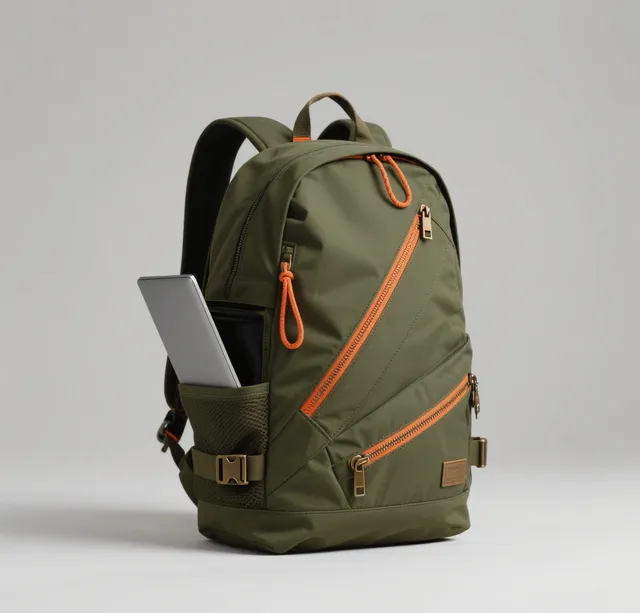 A consistent setup routine transforms any location into a productive workspace.
Complete Cost Breakdown
Building a professional work-from-anywhere kit requires investment. Here is a realistic budget breakdown for 2026:
| Item | Budget Option | Mid-Range | Premium |
|---|---|---|---|
| Laptop | £600 | £950 | £1,800 |
| Portable Monitor | £120 | £250 | £400 |
| Power Bank (65W+) | £60 | £120 | £180 |
| GaN Charger (65W) | £25 | £45 | £70 |
| Portable Hotspot | £80 | £150 | £300 |
| Noise-Cancelling Earbuds | £50 | £150 | £300 |
| Backpack | £60 | £150 | £280 |
| USB-C Hub | £20 | £50 | £90 |
| Total | £1,015 | £1,865 | £3,420 |
The mid-range option delivers the best value for most professionals. It provides reliable, professional-quality equipment without unnecessary luxury markup. Start with the essentials (laptop, backpack, charger, earbuds) and add components as your needs become clearer.
"The best mobile office is the one you actually use. Start simple, learn what you need through real work, and upgrade deliberately."
Ready to Upgrade Your Mobile Setup?
Whether you need a backpack that doubles as a mobile office or a travel companion for your minimalist kit, we have the solution.
Email: service@junyuanbags.com | WhatsApp: +86 17750020688
Get a Quote Chat on WhatsAppMaintaining Your Mobile Office Kit
Building the kit is only the beginning. Maintaining it requires ongoing attention. Cables fray, power banks lose capacity, and backpacks show wear. Schedule a quarterly audit of every item in your mobile office. Test each cable for damage, check your power bank charge cycles, and inspect your backpack zippers and stitching.
Keep a running replacement list. When you notice a cable starting to fail, order a replacement before it breaks completely. The goal is zero equipment failures during working hours. Professional mobile workers carry one spare USB-C cable at all times; cables are the most common failure point in any tech setup.
Backpack maintenance deserves special attention. Empty your backpack completely once a week. Remove crumbs, dust, and debris. Wipe down the interior with a damp cloth. Check that all zippers slide smoothly; apply a silicone lubricant if needed. A well-maintained backpack lasts years longer than a neglected one, and the daily experience of using it remains pleasant rather than frustrating.
Finally, revisit your kit composition every six months. Your work evolves, and your equipment should evolve with it. A portable monitor that was unnecessary six months ago may become essential as your projects change. A power bank that seemed excessive may prove inadequate as you add devices. Stay flexible and adjust deliberately.
Building a Productive Mindset for Mobile Work
The physical kit enables mobile work, but your mindset determines its success. Working from different locations requires discipline that a fixed office provides automatically. Establish non-negotiable work hours regardless of where you are. Create a startup ritual that signals your brain it is time to focus, even when the environment changes daily.
Set boundaries with the people around you. Working from a cafe does not mean you are available for casual conversation. Working from a co-working space does not mean you must attend every social event. Your mobile office is your professional workspace, and treating it with the same respect as a traditional office is essential for sustained productivity.
Document your best locations. After a month of mobile work, you will discover that certain environments consistently produce better output than others. Record these observations. Note the noise level, lighting, chair comfort, internet speed, and ambient temperature that correlates with your best work days. Over time, you build a personal database of optimal work environments that guides your location decisions.
The Future of Mobile Work
The work-from-anywhere movement shows no signs of slowing. Emerging technologies like foldable displays, rollable monitors, and satellite internet for laptops will further dissolve the boundaries between fixed and mobile workspaces. The professionals who invest in quality mobile office infrastructure today will be best positioned to adopt these innovations tomorrow. Start building your kit now, refine it through experience, and remain open to the tools that will define the next decade of remote work.
Frequently Asked Questions
What is the minimum budget for a functional work-from-anywhere kit?
You can build a workable mobile office for approximately £1,000. This covers a budget laptop, a compact backpack, a 65W GaN charger, noise-cancelling earbuds, and basic accessories. You can always add a portable monitor and power bank later as your budget allows.
Do I really need a portable monitor?
It depends on your work. If you regularly work with spreadsheets, code, or design tools, a portable monitor dramatically improves productivity. If your work is primarily writing or communication, your laptop screen plus a tablet for reference may suffice.
What laptop weight is acceptable for daily carry?
Aim for under 1.5 kg for the laptop alone. Your total carry weight, including backpack and all accessories, should stay under 5 kg. Anything heavier will cause discomfort during extended carrying periods.
How do I handle security when working from public places?
Always use a VPN when on public networks. Enable two-factor authentication on all accounts. Use a privacy screen filter on your laptop to prevent shoulder surfing. Never leave your laptop unattended, even for a moment.
Can I use a tablet instead of a laptop?
For light work like email, document editing, and web browsing, a tablet with a keyboard case can suffice. However, for software development, complex spreadsheets, or any work requiring desktop applications, a laptop remains essential.
What backpack features matter most for mobile work?
Padded laptop compartment, dedicated tablet sleeve, organiser pockets for small items, water-resistant material, comfortable shoulder straps, and a professional appearance. The bag should look appropriate in both a cafe and a client meeting.
How long should my power bank last?
A quality 24,000 mAh power bank should provide one full laptop recharge and two to three phone charges. This gives you comfortable all-day independence from wall outlets in most scenarios.
Ready to Upgrade Your Mobile Setup?
Whether you need a backpack that doubles as a mobile office or a travel companion for your minimalist kit, we have the solution.
Email: service@junyuanbags.com | WhatsApp: +86 17750020688
Get a Quote Chat on WhatsApp