Laptop Compartments in Business Backpacks: Complete Size Guide for 2026
Table of Contents
- Why Laptop Compartment Design Matters
- The 2026 Laptop Size Landscape
- Laptop Compartment Design Types
- Protection Standards and Testing Methods
- Complete Laptop to Backpack Size Chart
- How to Measure Your Laptop Correctly
- Premium Backpacks and Their Laptop Compartments
- Dual Device Compartments for Laptop and Tablet
- TSA-Friendly and Airport Security Design
- Manufacturing Quality and Laptop Protection
- Frequently Asked Questions
Why Laptop Compartment Design Matters
The laptop compartment in a business backpack is far more than a simple sleeve. It is an engineered protection system that must safeguard your most valuable work tool against drops, impacts, compression, moisture, and temperature changes throughout your daily routine. A 2025 study by the device protection insurer Protect Your Bubble found that 31 percent of laptop damage claims resulted from incidents occurring while the device was in a bag, making the quality of your laptop compartment business backpack a direct factor in protecting your investment.
With the average UK professional carrying a laptop valued between GBP 1,000 and GBP 3,000, plus additional technology accessories worth hundreds more, the business backpack's laptop compartment represents one of the highest-value design decisions you will make in your professional equipment selection. This comprehensive guide covers every aspect of laptop compartment design, sizing, protection standards, and selection criteria to help you find the perfect business backpack for your device.
The 2026 Laptop Size Landscape
Understanding the current laptop market is essential for selecting the right business backpack. The trend toward larger, thinner laptops with minimal bezels has created a landscape where physical laptop dimensions do not always correlate with screen size in predictable ways.
Popular Professional Laptops and Their Dimensions
The professional laptop market in 2026 spans from ultraportable 13-inch models designed for maximum mobility to powerful 17-inch workstations for creative and engineering professionals. The screen size, measured diagonally, only partially describes the physical footprint that your backpack's laptop compartment must accommodate.
| Laptop Model | Screen Size | Width (mm) | Depth (mm) | Thickness (mm) | Weight (kg) |
|---|---|---|---|---|---|
| MacBook Air 13 (M4) | 13.6" | 304 | 215 | 11.3 | 1.24 |
| Dell XPS 13 | 13.4" | 296 | 199 | 12.0 | 1.20 |
| MacBook Pro 14 (M4) | 14.2" | 313 | 221 | 15.5 | 1.55 |
| ThinkPad T14 Gen 5 | 14.0" | 318 | 218 | 17.5 | 1.40 |
| MacBook Pro 16 (M4) | 16.2" | 356 | 248 | 16.8 | 2.14 |
| Dell XPS 15 | 15.6" | 345 | 236 | 18.0 | 1.86 |
| Razer Blade 16 | 16.0" | 355 | 249 | 22.0 | 2.40 |
| MacBook Pro 17 (hypothetical) | 17.0" | 374 | 260 | 17.0 | 2.30 |
This data reveals a critical insight: a 16-inch MacBook Pro is physically smaller than many 15.6-inch Windows laptops due to reduced bezel sizes. This means that backpacks marketed for 15.6-inch laptops may not always accommodate 16-inch models, and vice versa. Always verify the actual compartment dimensions rather than relying solely on the marketed screen size compatibility.
Laptop Compartment Design Types
Business backpacks employ several distinct approaches to laptop compartment design, each offering different protection levels, accessibility, and space efficiency. Understanding these types helps you evaluate which design best suits your professional needs.
Suspended Laptop Sleeves
The most protective design places the laptop in a padded sleeve that hangs from the top of the backpack compartment, positioning the device 15 to 25 millimetres above the base. This suspended design is the gold standard because it prevents base impact damage when the backpack is set down on hard surfaces. Brands including Tumi, Thule, and Peak Design use this approach in their premium business backpack ranges.
Side-Access Laptop Compartments
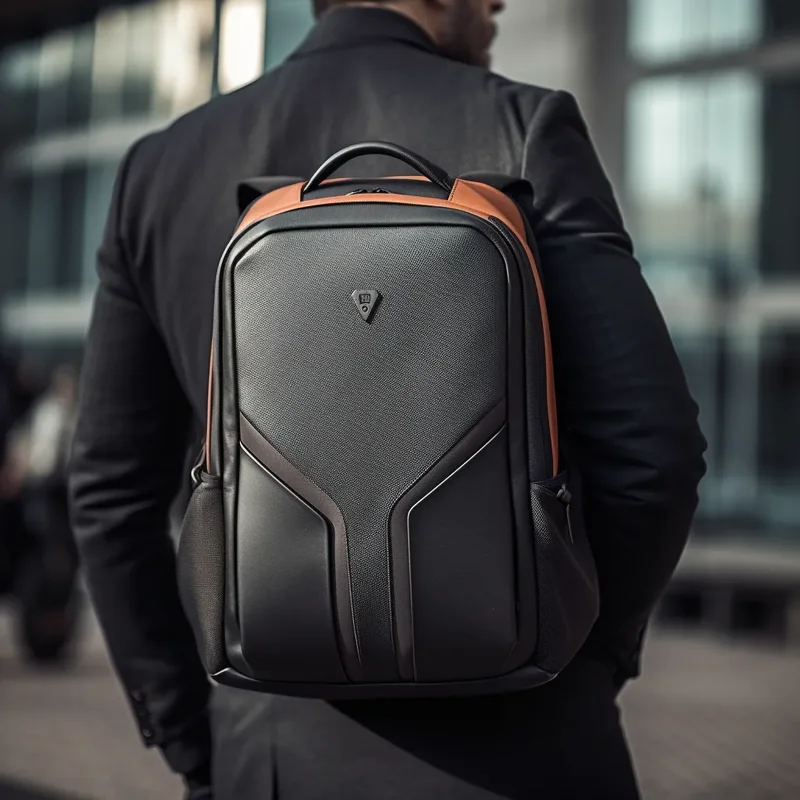
Some business backpacks position the laptop compartment on the side rather than the back panel, allowing access without removing the backpack. This design, used by Nomatic and Aer, provides quick access for security checkpoints and during meetings. However, side-access designs may sacrifice some protection compared to rear-panel compartments because the laptop is closer to the bag exterior and lacks the additional cushioning of the back panel.
Flat Laptop Sleeves
Entry-level business backpacks often use a flat padded sleeve sewn into the back panel or main compartment. While these provide basic padding, they lack the suspension design that prevents base impact. The laptop sits directly on the backpack floor, meaning every time you set the bag down, the laptop base absorbs the impact force. This design is acceptable for budget-conscious professionals but offers inferior protection compared to suspended compartments.
Convertible Laptop Sleeves
Premium models from Briggs & Riley and some Tumi lines feature removable laptop sleeves that can be used independently as a slim laptop sleeve for quick trips or nested inside the backpack for full protection. This modular approach adds versatility but increases cost and complexity.
Protection Standards and Testing Methods
Understanding how laptop compartments are tested and rated helps you make informed purchasing decisions. Several testing standards and methodologies are used to evaluate laptop protection in backpacks.
Drop Test Standards
Leading backpack manufacturers subject their laptop compartments to standardised drop tests. The most common protocol involves loading a laptop replica into the compartment and dropping the backpack from specified heights onto concrete surfaces at multiple angles: flat, edge, and corner. Thule's SafeEdge construction, for example, is tested against corner drops from 1.2 metres, simulating the most common real-world damage scenario. Data from device repair services indicates that corner impacts account for 45 percent of laptop damage in bags, followed by base impacts at 30 percent and edge impacts at 15 percent.
Compression Testing
Compression testing evaluates how well a laptop compartment protects against pressure when the backpack is overstuffed or compressed in overhead luggage compartments. A well-designed compartment maintains its structural integrity and prevents pressure from being transmitted to the enclosed laptop. Compartments with rigid internal frames or reinforced panels perform significantly better in compression testing than those relying solely on foam padding.
Padding Thickness Standards
Industry best practice specifies minimum padding thickness for laptop compartments. High-density foam padding should be at least 8 millimetres on all sides, with premium backpacks using 10 to 15 millimetres of multi-density foam. The multi-density approach uses a firm inner layer for structural support and a softer outer layer for shock absorption, providing both protection and a snug fit that prevents the laptop from shifting inside the compartment.
Complete Laptop to Backpack Size Chart
Use this comprehensive chart to match your laptop to the appropriate backpack compartment size. The chart includes recommended backpack volumes and additional considerations for each laptop size category.
| Laptop Size | Min. Compartment Width | Min. Compartment Depth | Recommended Backpack Volume | Ideal User Profile |
|---|---|---|---|---|
| 13 inches | 315 mm | 225 mm | 18 to 22 litres | Minimalists, tablet-primary users |
| 14 inches | 330 mm | 235 mm | 20 to 25 litres | Daily commuters, consultants |
| 15 inches | 355 mm | 250 mm | 22 to 28 litres | Standard professionals, students |
| 15.6 inches | 365 mm | 260 mm | 24 to 30 litres | Power users, developers |
| 16 inches | 375 mm | 268 mm | 25 to 32 litres | Creative professionals, engineers |
| 17 inches | 395 mm | 280 mm | 28 to 35 litres | Desktop replacement users |
Pro Tip: Always Add Clearance
When comparing your laptop dimensions to a backpack's compartment dimensions, add a minimum of 10 millimetres to both width and depth. This clearance accounts for fabric thickness, seam allowances, and ensures smooth insertion and removal of your laptop. A compartment that exactly matches your laptop dimensions will feel tight and may not accommodate a laptop sleeve or protective case.
How to Measure Your Laptop Correctly
Accurate measurement is the foundation of finding the right business backpack. Many professionals measure only the screen size, which does not reflect the actual physical footprint that the laptop compartment must accommodate.
Step-by-Step Measurement Process
- Close the laptop completely. All measurements must be taken with the laptop closed and latched.
- Measure the width: Using a ruler or tape measure, measure the widest point of the closed laptop from left edge to right edge in millimetres.
- Measure the depth: Measure from the front edge (closest to you when typing) to the back edge (where the hinge is) in millimetres.
- Measure the thickness: Measure the thickest point of the closed laptop, typically at the rear where ports are located.
- Check manufacturer specifications: Cross-reference your measurements with the manufacturer's published dimensions for your specific laptop model to ensure accuracy.
- Add clearance: Add 10 to 15 millimetres to both width and depth measurements to determine your minimum compartment requirement.
Common Measurement Mistakes to Avoid
The most common error is confusing screen size (diagonal measurement in inches) with physical dimensions (width and depth in millimetres). A 15.6-inch laptop, for example, does not measure 15.6 inches in any single dimension. The diagonal measurement describes the display panel only and excludes bezels, frame, and housing. Always use actual physical dimensions for backpack compartment matching.
Another frequent mistake is measuring with a laptop case or sleeve installed. If you intend to use a separate laptop sleeve inside your backpack compartment, measure the combined dimensions of laptop plus sleeve and use that as your compartment size requirement.
Premium Backpacks and Their Laptop Compartments
Examining how leading backpack brands design their laptop compartments provides valuable benchmarks for evaluating any business backpack's laptop protection capabilities.
Tumi Alpha Bravo Series
Tumi's Alpha Bravo business backpacks feature a suspended laptop compartment with Tumi's proprietary impact-absorbing foam that lines the entire compartment. The compartment accommodates laptops up to 15 inches with a separate padded tablet sleeve in the main compartment. Tumi uses ballistic nylon exterior fabric with water-resistant coating and YKK aquaguard zippers for the laptop compartment, providing both impact and moisture protection.
Thule Subterra Series
Thule's SafeEdge construction provides reinforced corner protection for the laptop compartment, addressing the most common damage scenario. The compartment uses a suspended design with multi-density foam that meets military-grade MIL-STD-810G drop testing standards. Thule offers dedicated models for 13, 14, 15, and 16-inch laptops, ensuring precise fit rather than a one-size-fits-all approach.
Bellroy Classic Backpack Premium
Bellroy's premium business backpack uses a fleece-lined laptop compartment positioned against the back panel with 10 millimetres of high-density foam padding. The compartment accommodates laptops up to 16 inches and features a false bottom design that elevates the laptop above the bag base. Bellroy's approach prioritises a clean exterior aesthetic while maintaining robust internal protection.
Herschel Heritage and Settlement Collections
Herschel's professional-oriented collections include a padded laptop sleeve that fits up to 15-inch laptops. While the padding is adequate for everyday commuting, it does not feature a suspended design, making these backpacks better suited for lighter-duty professional use rather than heavy commuting on bicycles or in crowded environments.
Dual Device Compartments for Laptop and Tablet
With 78 percent of UK professionals carrying at least two electronic devices daily according to the British Chambers of Commerce, the ability to carry both a laptop and tablet in a single business backpack has become a key requirement.
Dedicated Dual Compartments
The best professional backpacks feature separate, padded compartments for laptop and tablet. The laptop compartment typically occupies the back panel position (closest to your body) for optimal weight distribution, while the tablet compartment sits in front of or adjacent to the laptop sleeve. This arrangement keeps both devices protected, accessible, and prevents them from scratching against each other.
Size Compatibility for Dual Devices
| Backpack Laptop Size | Compatible Laptops | Compatible Tablets (in second sleeve) | Total Device Weight Capacity |
|---|---|---|---|
| 13-inch laptop sleeve | MacBook Air, Dell XPS 13 | iPad Mini, iPad Air | Up to 3.0 kg total |
| 14-inch laptop sleeve | MacBook Pro 14, ThinkPad T14 | iPad Air, iPad Pro 11 | Up to 3.5 kg total |
| 15.6-inch laptop sleeve | Dell XPS 15, ThinkPad T15 | iPad Pro 12.9, Surface Pro | Up to 4.5 kg total |
| 16-inch laptop sleeve | MacBook Pro 16, Razer Blade 16 | iPad Pro 12.9, Galaxy Tab S9 | Up to 5.0 kg total |
TSA-Friendly and Airport Security Design
For professionals who travel by air, the design of the laptop compartment significantly impacts the speed and convenience of airport security screening. TSA-friendly laptop compartments have become an important feature in business backpacks designed for the modern travelling professional.
What Makes a Laptop Compartment TSA-Friendly
A TSA-friendly laptop compartment meets specific criteria set by the Transportation Security Administration. The compartment must open flat (at least 170 degrees), have a separate zipper from the main compartment, and contain no metal frames, buckles, or hardware in the laptop section that would obscure the X-ray image. When these criteria are met, you can leave your laptop in the compartment during screening, placing the open backpack flat on the X-ray belt.
The TSA estimates that checkpoint-friendly laptop bags reduce screening time by an average of 30 seconds per passenger. While this may seem minor, for a professional who travels monthly, this saves approximately one hour per year of cumulative screening time. More importantly, it reduces the stress of unpacking and repacking a laptop in a busy security line.
Limited-Flat Opening Designs
Some business backpacks offer a compromise between full TSA compliance and everyday functionality. These designs feature a laptop compartment that opens to approximately 120 degrees (rather than the full 170 degrees required for TSA compliance) but still allows the laptop to be removed and replaced with minimal effort. Brands like Samsonite and SwissGear offer this approach, which provides easier laptop access than fully enclosed compartments while maintaining a more streamlined everyday profile than fully TSA-compliant designs.
Manufacturing Quality and Laptop Protection
The manufacturing quality of a laptop compartment directly determines whether it delivers its designed protection in real-world use. Even the most innovative compartment design will fail if the construction quality is poor.
Critical Manufacturing Quality Points
Several manufacturing quality factors determine the effectiveness of a laptop compartment. Stitch quality around the compartment seams must be precise and consistent, with reinforced bartacking at stress points. Foam padding should be evenly distributed with no gaps or thin spots, particularly at corners where impact forces concentrate. The zipper track must be smoothly installed without catching or binding, as a stuck zipper can trap the laptop inside the compartment. Finally, the compartment lining should be soft and non-abrasive to prevent scratching the laptop surface during insertion and removal.
Junyuan Bags: Precision Manufacturing for Laptop Protection
Manufacturing quality is where design intent meets real-world performance. At Junyuan Bags, established in 2004, every laptop compartment undergoes rigorous quality control at multiple production stages. The 15,000-square-metre facility with over 200 skilled craftspeople and 8 specialised production lines maintains a defect rate below 0.3 percent through BSCI and ISO 9001:2015 certified quality management systems. Incoming material inspection verifies foam density and padding consistency before production begins. In-process quality checkpoints at each critical sewing station ensure seam integrity and padding placement accuracy. Final inspection includes functional testing of every laptop compartment zipper and a dimensional verification that each compartment meets specification tolerance. With annual capacity exceeding 200,000 bags, Junyuan Bags delivers the volume that brands require with the precision that laptop protection demands. Contact service@junyuanbags.com or WhatsApp +86 177 5002 0688 to discuss your laptop backpack manufacturing requirements.
Quality Testing Beyond Factory Inspection
Leading backpack brands conduct additional testing beyond standard factory quality control. Load testing fills the backpack with weighted items and cycles the zippers hundreds of times to simulate years of use. Abrasion testing rubs the laptop compartment lining against laptop surfaces to verify that no material transfer or scratching occurs over time. Environmental testing exposes the backpack to temperature extremes and humidity to ensure that foam padding maintains its protective properties across different climates and seasons.

Future Trends in Laptop Compartment Design
The laptop compartment design landscape continues to evolve as laptops themselves change. The trend toward thinner, lighter laptops with larger screens means that physical dimensions are not scaling proportionally with screen size. Backpack manufacturers must therefore design compartments that accommodate the specific dimensions of current-generation laptops rather than relying on screen size as a proxy for physical size. Additionally, the growing adoption of foldable and dual-screen laptops introduces new form factors that may require adjustable or expandable compartment designs in future backpack models.
Smart features are also entering the laptop compartment category. Some premium backpacks now include integrated charging passthroughs that allow a portable battery stored in the main compartment to charge a laptop in the laptop compartment without opening the backpack. USB-C passthroughs, magnetic cable management clips, and built-in device tracking pockets are emerging as premium features that enhance the functionality of the laptop compartment beyond simple physical protection. As technology continues to evolve, the laptop compartments in business backpacks will become increasingly sophisticated protection and connectivity platforms.
Frequently Asked Questions
How do I measure my laptop to find the right backpack compartment size?
To measure your laptop for a backpack compartment, measure the diagonal screen size, then measure the width and depth of the closed laptop. A 15.6 inch laptop typically measures approximately 360mm wide by 250mm deep. Add 10 to 15 millimetres to each dimension to determine the minimum compartment size needed. Always check the backpack specifications for laptop compartment dimensions rather than relying solely on the advertised laptop size compatibility.
What is a suspended laptop compartment and why is it important?
A suspended laptop compartment positions the laptop above the base of the backpack using a padded shelf that sits 15 to 25 millimetres above the bag floor. This design prevents base impact damage when the bag is set down on a hard surface. The suspended design creates a buffer zone that absorbs shock, preventing the laptop from experiencing direct impact forces.
Can I fit a 16 inch MacBook Pro in a 15 inch laptop compartment?
It depends on the specific dimensions. The MacBook Pro 16 measures approximately 356mm by 248mm, which is close to many 15.6 inch laptop dimensions. Check the actual compartment dimensions. If the compartment width is at least 365mm and depth is at least 258mm, it will accommodate the MacBook Pro 16. When in doubt, choose a backpack rated for 16 inch laptops.
What padding thickness is adequate for laptop protection in a business backpack?
Industry standards recommend a minimum of 8 millimetres of high-density foam padding on all sides. Premium backpacks use 10 to 15 millimetres of multi-density foam. Corner reinforcement is particularly important, as drop testing shows that corner impacts account for 45 percent of laptop damage incidents.
Do business backpacks with laptop compartments pass through airport security easily?
Most business backpacks with laptop compartments are designed to be TSA-friendly, with a compartment that opens flat at least 170 degrees and has a separate zipper. The TSA estimates that checkpoint-friendly bags reduce screening time by an average of 30 percent per passenger.
How much does a laptop compartment add to the weight of a business backpack?
A properly designed laptop compartment with 10mm foam padding typically adds 150 to 300 grams to the backpack weight. Given that the average professional laptop weighs 1.6 kilograms, the compartment represents less than 20 percent of the total device load, making it a worthwhile protection trade-off.
Custom Laptop Backpack Manufacturing for Your Brand
Since 2004, Junyuan Bags has been crafting premium laptop backpacks in our 15,000 sqm factory with over 200 skilled craftspeople and 8 dedicated production lines. BSCI and ISO 9001:2015 certified, we deliver an annual capacity exceeding 200,000 bags with a defect rate below 0.3 percent.
Email: service@junyuanbags.com
WhatsApp: +86 177 5002 0688
Continue Reading
- What to Look for in a Professional Backpack: 12 Expert Features
- Business Backpack vs. Briefcase: Which Is Better for Professionals?
- How to Choose a Backpack for Work: 7 Key Factors
- Leather vs. Nylon Business Backpacks: Pros, Cons and Best Picks
- Foam Padding Technology for Backpack Comfort
- Waterproof Fabric Technology for Men's Backpacks
- Backpack Zipper Quality: YKK vs SBS Comparison
- Ballistic Nylon vs Cordura: Backpack Fabric Comparison
- View All Business Backpack Products
- About Junyuan Bags
- Contact Our Team