Digital Nomad Backpack Essentials: What You Actually Need
The Digital Nomad Packing Challenge
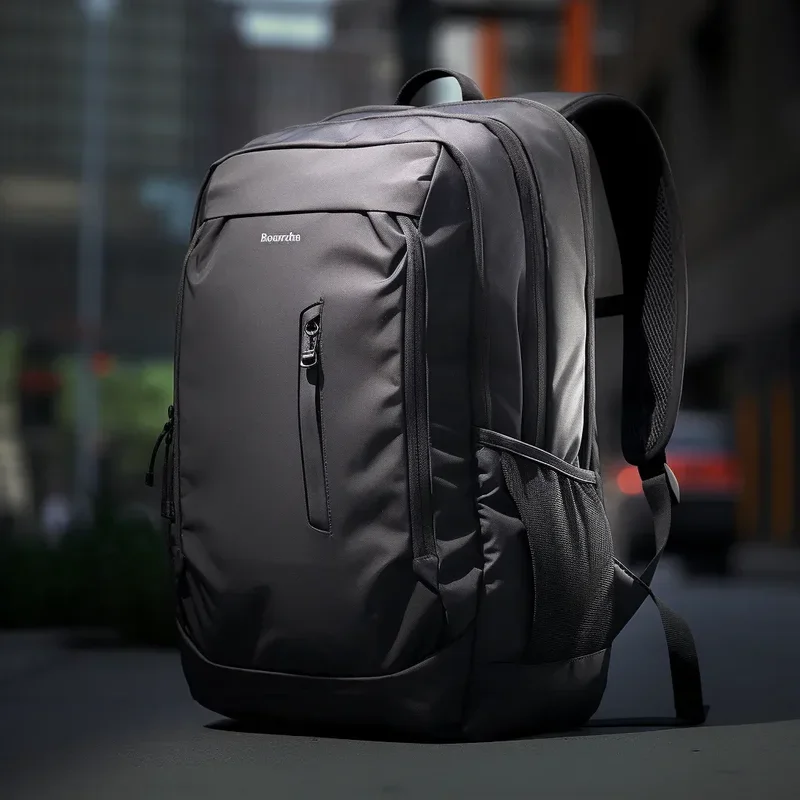
Digital nomads face a unique packing challenge that regular travellers simply do not encounter. You are not just packing clothes and toiletries. You are packing an entire mobile office. Your laptop, your communications, your productivity tools, your backups, and your power supply all need to fit in a single carry-on bag alongside everything else.
The stakes are higher than for most travellers. If a regular traveller forgets a spare T-shirt, they buy one at the destination. If a digital nomad forgets a charger, loses a hard drive, or arrives with a laptop that cannot handle their workload, their income is at risk. This is why choosing the right gear is critical.
This guide breaks down every piece of gear that a digital nomad actually needs in their backpack, separating the true essentials from the nice-to-have luxuries. Every recommendation is based on real-world remote work experience across different climates, time zones, and working conditions.
Laptop Selection: Weight vs. Power
Your laptop is the single most important piece of gear you own as a digital nomad. The wrong choice can mean daily frustration, a sore back, or an inability to complete your work. The right choice becomes invisible; you simply open it and work.
The Weight Spectrum
Laptops for digital nomads generally fall into three categories. Ultralight machines under 1.2 kg like the MacBook Air or Dell XPS 13 are ideal for writers, developers doing web work, and anyone whose primary tasks involve a browser, code editor, or office suite. Mid-weight laptops between 1.2 and 1.8 kg like the MacBook Pro 14 or ThinkPad X1 Carbon offer more processing power and better displays for design work, video editing, or running virtual machines. Performance machines over 1.8 kg like the MacBook Pro 16 or high-end Windows workstations are rarely the right choice for one-bag travel unless your work specifically demands that power for rendering, compiling large projects, or running GPU-intensive tasks.
Key Specs to Prioritise
Battery life is paramount. Look for a minimum of 10 hours of real-world battery life, because you will often work from cafes, airports, and co-working spaces where power outlets are scarce or unreliable. Screen quality matters too; you will stare at this screen for 6 to 10 hours daily, so invest in a good IPS or OLED panel with at least 300 nits brightness. A minimum of 16 GB RAM is now the standard for comfortable multitasking in 2026, and 512 GB SSD storage keeps your system responsive while staying light.
Operating System Considerations
macOS remains the most popular choice among digital nomads, particularly those in creative fields, due to its Unix-based terminal, consistent hardware ecosystem, and excellent battery life on Apple Silicon chips. Windows laptops offer more hardware variety and better compatibility with corporate environments. Linux laptops are favoured by developers but require more technical confidence. Choose the platform that your work demands, not the one that looks most appealing.
Power Adapters and Charging Solutions
Power management is arguably the most underrated aspect of digital nomad gear. You will encounter different plug types in every country, and unreliable power is a constant challenge. Your power setup needs to be universal, compact, and reliable.
The Universal Adapter
A quality universal travel adapter is non-negotiable. Look for one that covers UK, EU, US, AU, and Asian plug types in a single compact unit. The best options in 2026 use GaN (Gallium Nitride) technology, which allows them to be dramatically smaller and lighter than traditional adapters while delivering the same wattage. A good GaN universal adapter with multiple USB-C and USB-A ports can replace your laptop charger, phone charger, and tablet charger all at once.
Portable Power
A portable battery bank is highly recommended for digital nomads. A 10,000 to 20,000 mAh power bank ensures you can keep your phone alive for navigation and communication even when your laptop is charging. Look for power banks that support USB-C PD (Power Delivery) at 65W or higher, which means they can also top up your laptop in a pinch. The weight penalty of 200 to 400 grams is worth the security of knowing you always have power.
Power Strip for Extended Stays
If you frequently work from cafes or accommodations with limited outlets, a compact travel power strip with 3 to 4 USB ports and a universal plug can be a game-changer. It weighs under 200 grams and solves the problem of charging multiple devices from a single wall socket.
Noise-Cancelling Earbuds and Headphones
Remote work happens in noisy environments: bustling cafes, shared accommodation, airport lounges, and co-working spaces. The ability to block out noise and focus is not a luxury; it is a productivity requirement. Noise cancellation is the single biggest upgrade you can make to your mobile work setup.
Earbuds vs. Over-Ear Headphones
For one-bag travel, earbuds are generally the better choice. They are lighter, more compact, and do not cause the heat build-up that over-ear headphones create during long sessions in warm climates. The best ANC earbuds in 2026 offer noise cancellation that rivals over-ear models while weighing just 5 to 7 grams per earbud.
Over-ear headphones offer superior noise cancellation and sound quality but add 200 to 350 grams to your bag. They make sense if your work involves frequent video calls where audio quality matters, or if you are a musician or content creator who needs accurate sound reproduction.
Key Features to Look For
Active noise cancellation (ANC) is the core feature. Transparency mode lets you hear your surroundings when needed. Battery life should be at least 6 hours with ANC on for earbuds and 20 hours for over-ears. Multipoint Bluetooth connectivity lets you connect to your laptop and phone simultaneously. A good carrying case protects them in your bag and keeps them accessible.
Portable Storage and Backup
Data loss while traveling can be catastrophic. You do not have your office IT department to call, and replacing a hard drive in a foreign country is stressful at best. A robust backup strategy is essential.
Portable SSD
A 1 TB portable SSD is the ideal balance of capacity, speed, and weight for digital nomads. Modern SSDs like the Samsung T7 or SanDisk Extreme weigh around 50 to 60 grams and can be smaller than a credit card. They provide fast file transfer speeds and serve as a physical backup of your most critical files. The 1 TB capacity is sufficient for most nomads who store their primary files in the cloud.
Cloud Backup Strategy
Your primary storage and backup should be cloud-based. Services like Google Drive, Dropbox, iCloud, or OneDrive provide automatic syncing across devices. The key principle is the 3-2-1 backup rule adapted for nomads: three copies of your data, on two different media, with one copy offsite (in the cloud). In practice, this means your files live on your laptop, sync to a cloud service, and optionally sync to a portable SSD as a physical backup.
Cable Management and Organisation
Cable clutter is the silent productivity killer for digital nomads. A tangled mess of USB cables, charging cables, and adapter cables in your backpack wastes time, creates frustration, and increases the risk of losing essential accessories.
The Tech Pouch
A dedicated tech organiser pouch is essential. These small bags with elastic loops and mesh pockets keep every cable, adapter, and accessory in its place. Look for one that is water-resistant, compact (roughly the size of a paperback book), and has enough organisation for your specific cable collection. Popular options from brands like Bellroy, Tomtoc, and Peak Design offer excellent organisation without excess bulk.
Cable Consolidation Strategy
The goal is to carry as few cables as possible. In 2026, most devices charge via USB-C. If your laptop, phone, earbuds, and portable battery all use USB-C, you can consolidate to a single cable type. Bring two or three high-quality USB-C cables in different lengths: a short 30 cm cable for airport charging, a 1 metre cable for desk use, and optionally a 2 metre cable for situations where the power outlet is far from your workspace. A USB-C to USB-A adapter handles the remaining legacy devices you might encounter.
Work-from-Anywhere Setup Tips
Having the right gear is only half the equation. Knowing how to set up a productive workspace in any environment is the other half. Digital nomads who master this skill can work effectively in a hostel bunk, an airport gate, a beachside cafe, or a co-working space.
The Ergonomic Reality
Laptop ergonomics are always a compromise when working from a backpack. The best practice is to raise your screen to eye level whenever possible. A lightweight laptop stand made of aluminium adds minimal weight (around 200 to 300 grams) but dramatically improves your posture during long work sessions. If you cannot carry a stand, a stack of books or your backpack itself can serve as an improvised riser.
External Keyboard and Mouse
For nomads who work more than four hours daily at a desk, a compact Bluetooth keyboard and mouse transform productivity. A foldable keyboard weighs around 200 grams and packs flat in your bag. Combined with a portable mouse and your laptop elevated on a stand, you effectively have a full desktop setup that fits in a backpack.
Internet Reliability
Always have a backup internet option. A mobile phone with a local SIM card or eSIM provides a tethering hotspot when cafe Wi-Fi is unreliable. Apps like Speedtest let you check connection quality before committing to a workspace. For critical video calls, always have a backup plan: a quiet corridor, a phone booth-style space, or the ability to dial in by phone audio.
Security in Public Spaces
Working in public spaces introduces security considerations. Use a privacy screen filter on your laptop to prevent shoulder surfing. Never leave your laptop unattended, even for a minute. Use a cable lock if you need to step away briefly in a co-working space. Keep your bag within reach or loop a strap through your chair leg to prevent grab-and-run theft.
Essential vs. Nice-to-Have Gear Table
The following table separates the gear that every digital nomad should carry from the items that are convenient but not critical. Use this as a packing checklist and add items only if they serve a clear, regular purpose in your specific work.
| Category | Item | Essential or Nice-to-Have | Weight | Notes |
|---|---|---|---|---|
| Computing | Laptop (under 1.5 kg) | Essential | 1.0 - 1.5 kg | Choose based on your workload requirements |
| Power | GaN universal adapter | Essential | 100 - 200 g | Multi-port for charging laptop and devices simultaneously |
| Power | USB-C cables (2-3) | Essential | 30 - 50 g each | Different lengths for different scenarios |
| Power | Power bank (10,000+ mAh) | Essential | 200 - 350 g | Phone charging; laptop top-up in emergencies |
| Audio | ANC earbuds | Essential | 50 - 70 g | Noise cancellation for focus in any environment |
| Storage | Portable SSD (1 TB) | Nice-to-Have | 50 - 60 g | Physical backup for critical files |
| Organisation | Tech pouch | Essential | 100 - 150 g | Keeps cables and adapters organised |
| Connectivity | eSIM or local SIM data plan | Essential | 0 g (digital) | Backup internet when Wi-Fi fails |
| Ergonomics | Laptop stand | Nice-to-Have | 200 - 300 g | Improves posture for long sessions |
| Ergonomics | Bluetooth keyboard | Nice-to-Have | 200 - 250 g | Only if working 4+ hours daily at a desk |
| Ergonomics | Portable mouse | Nice-to-Have | 60 - 100 g | Useful but trackpad is sufficient for most |
| Display | Portable monitor | Nice-to-Have | 600 - 900 g | Significant weight penalty; only for dual-screen needs |
| Photography | Compact camera | Nice-to-Have | 200 - 400 g | Phone cameras are excellent for most purposes |
| Reading | E-reader | Nice-to-Have | 150 - 200 g | Use your phone or laptop instead if reading infrequently |
| Security | Laptop cable lock | Nice-to-Have | 100 - 200 g | Useful for co-working spaces and hostels |
| Security | Privacy screen filter | Nice-to-Have | 80 - 150 g | Essential if working with sensitive data in public |
Frequently Asked Questions
What laptop should a digital nomad buy in 2026?
The best laptop depends on your specific work. For most digital nomads who work in a browser, code editor, or office suite, the MacBook Air M3/M4 or a Dell XPS 13 with an Intel Core Ultra processor offers the best balance of weight, battery life, and performance. If you need more power for video editing or design work, the MacBook Pro 14 is the top choice. Prioritise battery life (10+ hours real-world), weight (under 1.5 kg), and a quality display over raw processing power.
Do I really need a portable monitor for digital nomad work?
For most digital nomads, no. A portable monitor adds 600 to 900 grams to your bag and introduces another cable and power requirement. While a dual-screen setup improves productivity in an office, most nomad work can be managed with a single laptop screen and good window management. Only invest in a portable monitor if your workflow genuinely requires side-by-side windows and you work from a consistent location rather than moving between cafes daily.
How do I keep my data safe while traveling?
Follow the 3-2-1 backup rule adapted for nomads: keep files synced to a cloud service like Google Drive or Dropbox, maintain a local backup on a portable SSD, and ensure your laptop files are the third copy. Enable two-factor authentication on all cloud accounts. Use encrypted storage for sensitive documents. Before each trip, verify that your backup systems are working correctly by accessing your files from a different device.
What is the best noise-cancelling earbuds for digital nomads?
Top choices in 2026 include the Apple AirPods Pro 2 for iPhone users, Sony WF-1000XM5 for Android and audiophiles, and Bose QuietComfort Ultra Earbuds for the best noise cancellation available. All three offer excellent ANC, transparency mode, multipoint Bluetooth, and battery life of 6 to 8 hours per charge. The right choice depends on your phone ecosystem and audio preferences.
How do I manage cables without creating a mess in my backpack?
Invest in a dedicated tech organiser pouch with elastic loops and mesh compartments. Consolidate to a single cable type where possible; most devices now charge via USB-C. Carry two or three cables in different lengths for different scenarios. Label your cables with small tags if you carry cables that look similar. Roll cables using the over-under technique to prevent tangling.
How much does a complete digital nomad tech setup weigh?
A typical essential tech setup weighs between 2.5 and 4 kg depending on your laptop choice. This includes the laptop itself (1 to 1.5 kg), GaN adapter (100 to 200 g), cables and tech pouch (200 to 300 g), power bank (200 to 350 g), and ANC earbuds (50 to 70 g). Adding nice-to-have items like a laptop stand, portable SSD, and Bluetooth keyboard increases this to approximately 3.5 to 5 kg total.
Can I work effectively from a hostel or shared accommodation?
Yes, with the right preparation. Noise-cancelling earbuds are essential for blocking out roommates. A privacy screen filter protects your data on shared desks. Use a cable lock to secure your laptop when you step away. Choose accommodation with good reviews for Wi-Fi speed and dedicated work areas. If the hostel environment is too noisy, work from a co-working space or cafe during the day and use the hostel only for sleeping.
Build Your Perfect Digital Nomad Setup
Explore our other guides to complete your one-bag travel and remote work setup.
One-Bag Travel Complete Guide | Best Digital Nomad Backpacks 2026 | Minimalist Travel Backpacking