The daily commute is where laptop backpacks earn their keep. It does not matter how a backpack looks on a store shelf or how many features the product page lists. What truly matters is how it performs during the thirty, forty, or sixty minutes of daily travel between your home and your workplace. Comfort during a sustained walk, protection on a crowded train, organization when you need quick access at a security checkpoint, and weather resistance when the sky opens up unexpectedly. These are the qualities that define the best laptop backpacks for commuters.
This guide approaches commuter backpack selection from a practical, experience-based perspective. We break down the specific features that matter most for different commute types, from walking and cycling to public transit and driving. We also address the common mistakes commuters make when selecting a backpack and provide a framework for matching your specific commute needs to the right backpack features.
What Makes a Backpack Ideal for Commuting
Commuting backpacks face unique demands that distinguish them from hiking packs, travel bags, or school backpacks. The ideal commuter laptop backpack balances several competing priorities: professional appearance, device protection, carrying comfort, organizational efficiency, and weather resistance. No single backpack maximizes all of these perfectly, but the best options deliver strong performance across every category.
Professional Appearance
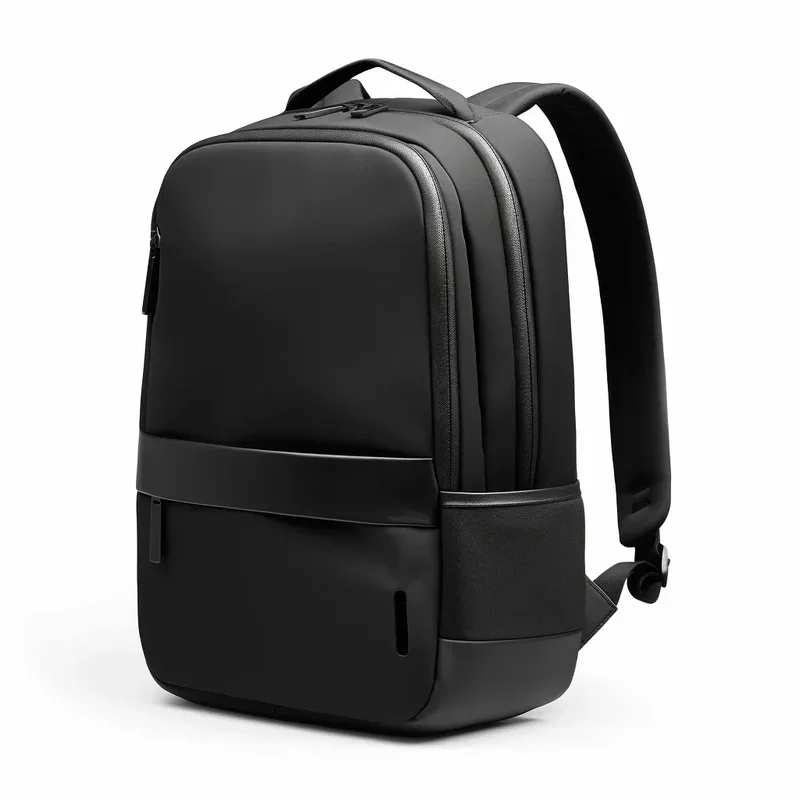
Unlike hiking or travel backpacks, commuter backpacks need to look appropriate in a professional setting. You walk into an office, a meeting room, or a client site with your backpack on your back. The design should be clean, understated, and professional. This means avoiding overly sporty aesthetics, excessive branding, and bright colors that clash with business attire. The best commuter backpacks use neutral color palettes, clean lines, and minimal external branding. Materials matter too: high-quality nylon or polyester with a refined texture communicates professionalism better than rough canvas or shiny technical fabrics.
Quick Access Design
Commuters need access to their belongings at specific moments: pulling out a laptop at airport security, grabbing transit pass or ID badge at the turnstile, retrieving keys at the front door, or accessing a phone or wallet at a coffee shop. The best commuter backpacks provide multiple access points: a top opening for general access, a dedicated laptop compartment with a separate zipper for security checkpoints, and quick-access pockets on the shoulder strap or side panel for small frequently used items.
Weather Resistance
Your commute does not pause for bad weather. Rain, snow, sleet, and humidity all challenge your backpack and its contents. The best commuter backpacks use water-resistant fabrics (minimum 600D polyester with DWR coating), water-resistant zippers, and sealed seam construction. Some premium models include a built-in rain cover that deploys from a hidden pocket for additional protection during downpours. Even if your commute includes driving, you still encounter weather during the walk from your car to your office.
Matching Backpack Features to Your Commute Type
Different commute modes create different backpack requirements. Understanding your specific commute helps you prioritize the right features.
Walking Commute (15-45 minutes)
Walking commuters benefit most from lightweight backpacks with excellent weight distribution. Look for padded shoulder straps with a breathable mesh backing, a padded back panel with air channels for ventilation, and a chest strap for longer walks to stabilize the load. The backpack should feel balanced and comfortable even when carrying a full load. Weight of the empty backpack itself matters significantly for walking commuters, so look for models under 2.5 pounds. Consider a backpack with a luggage handle pass-through for occasions when you also carry a rolling bag.
Cycling Commute (10-30 minutes)
Cycling commuters have specialized needs. The backpack must stay stable during active movement, which requires a sternum strap and possibly a waist strap. Ventilation is critical because your back generates significant heat during cycling. Look for backpacks with elevated back panels that create an air gap between the pack and your back. Reflective elements improve visibility in low-light conditions. The overall profile should be relatively slim to reduce wind resistance and avoid catching on obstacles. Water resistance is particularly important for cyclists who cannot easily pull over to put on a rain cover.
Public Transit Commute (Subway, Bus, Train)
Transit commuters need compact profiles and quick access features. A backpack that is too large becomes a liability on crowded trains and buses, bumping into other passengers and catching on seats. Look for backpacks with a slim profile that does not extend far from your back. Top-loading or panel-loading designs allow you to access contents without removing the backpack in tight spaces. Security features like lockable zippers and hidden pockets provide peace of mind in crowded environments. The backpack should also stand upright on its own when placed on the floor of a train or bus.
Driving Commute
Driving commuters have the least demanding backpack requirements since the backpack spends most of the commute in the car. However, the walk from parking to office still matters. Driving commuters benefit from backpacks with excellent organization for daily essentials, professional appearance for the office environment, and a luggage pass-through sleeve for business travel occasions. Since weight distribution is less critical for short walks from car to office, driving commuters can prioritize storage capacity and organizational features over ultra-lightweight design.
Essential Features for Commuter Laptop Backpacks
Based on the demands of daily commuting, here are the features that provide the most value.
Laptop Compartment Quality
The laptop compartment is the heart of any commuter backpack. For commuting specifically, look for these characteristics: a suspended sleeve with false bottom design (at least half inch elevation from the bag base), at least 8mm of padding on all sides, a snug fit with elastic retention or hook-and-loop closure, and a separate external access zipper for security checkpoint convenience. The compartment should accommodate your laptop with room for a thin sleeve if you prefer additional protection.
Organization System
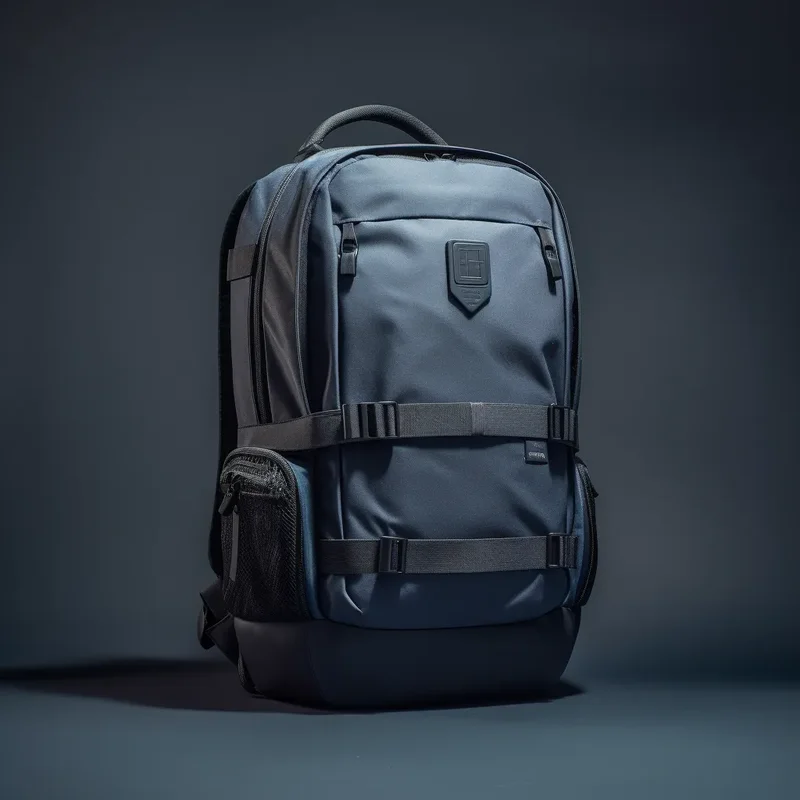
A commuter backpack needs thoughtful organization that keeps daily essentials accessible without creating clutter. The ideal layout includes a padded tablet sleeve separate from the laptop compartment, an admin panel with pen loops, card slots, and key clip, a quick-access top pocket for phone and wallet, at least one side water bottle pocket, and a main compartment with enough open space for lunch, layers, or documents. Avoid backpacks with excessive specialized pockets that create organizational complexity without adding practical value.
Comfort System
Comfort for commuting means sustained comfort over 20 to 60 minutes of continuous wear. Shoulder straps should be at least 2 inches wide at the contact point, padded with high-density foam, and contoured to follow the natural curve of your shoulders. The back panel should be padded and ventilated with air channels or mesh material that prevents heat buildup. A sternum strap, even a removable one, improves weight distribution for longer walks or heavier loads.
Durable Construction
Commuter backpacks endure daily use in varied conditions. They get set down on floors, squeezed into overhead compartments, exposed to rain and sun, and loaded and unloaded hundreds of times. Look for these construction quality indicators: fabric with a minimum 600D denier rating, YKK or equivalent quality zippers, bar-tack stitching at stress points, reinforced bottom panel for ground contact durability, and quality hardware that does not crack or bend with regular use.
Capacity Guidelines for Commuters
Choosing the right capacity prevents the common mistake of buying too large a backpack. Here are capacity guidelines based on typical commuter needs.
| Commute Style | Recommended Volume | What Fits |
|---|---|---|
| Minimal Carry | 15 to 20 liters | Laptop, phone, wallet, keys, one notebook |
| Standard Commute | 20 to 28 liters | Laptop, tablet, charger, lunch, water bottle, documents |
| Heavy Carry | 28 to 35 liters | All standard items plus gym clothes, shoes, extra layers |
| Overnight Ready | 35 to 45 liters | Full work gear plus overnight clothing and toiletries |
Most office commuters find that 20 to 28 liters provides the ideal balance. This range accommodates a laptop with charger, daily essentials, a lunch container, and a water bottle without excess empty space that encourages overpacking. Remember that a larger backpack feels lighter when empty but tempts you to carry more, which increases the actual weight on your shoulders.
Common Commuter Backpack Mistakes
Even experienced professionals make these mistakes when selecting a commuter backpack. Avoiding them saves money and frustration.
Buying Too Large
The most common mistake. Larger feels like better value, but an oversized commuter backpack encourages overpacking, looks disproportionate on your back, takes up too much space on public transit, and may not qualify as a personal item on flights. Choose the smallest capacity that reliably fits your daily carry items.
Ignoring Weight of the Empty Backpack
Some commuter backpacks weigh 3 pounds or more when empty. Add a laptop, charger, lunch, and water bottle, and you are carrying over 15 pounds before considering anything else. For daily commuting, aim for a backpack that weighs under 2.5 pounds empty. Every ounce matters when multiplied by 250 working days per year.
Prioritizing Features Over Fundamentals
Built-in USB ports, anti-theft pockets, expandable compartments, and integrated rain covers are attractive features. But if the fundamental qualities are lacking, these extras do not compensate. A backpack with poor shoulder straps, thin laptop padding, and flimsy zippers fails as a commuter bag regardless of how many innovative features it includes. Ensure the basics are excellent before evaluating bonus features.
Not Testing with a Realistic Load
Trying on an empty backpack in a store tells you very little about real-world comfort. A backpack that feels great empty can become painful when loaded with 12 pounds of gear. If possible, load the backpack with weight similar to your daily carry before evaluating comfort. Walk around for at least five minutes. Pay attention to pressure points on your shoulders and heat buildup on your back.
Seasonal Considerations for Commuters
Your commute changes with the seasons, and your backpack should adapt. In summer, ventilation becomes critical to prevent excessive sweating during walks to the office. In winter, you may need additional capacity for layers, gloves, and scarves. Spring and fall bring unpredictable rain that tests your backpack water resistance.
The best all-season commuter backpacks balance ventilation with weather protection. Look for models with ventilated back panels that still maintain water-resistant fabric on the exterior. A removable rain cover provides insurance against unexpected downpours without adding permanent weight. For winter months, external attachment points or compression straps allow you to secure a jacket or blanket roll to the outside of the pack.
Long-Term Value: What to Expect from a Quality Commuter Backpack
A quality commuter backpack is a long-term investment. With daily use, expect a well-constructed backpack to last three to five years before showing significant wear. Premium models with high-denier fabrics and quality hardware can last five to seven years or more. The cost per use of a quality backpack is remarkably low: a 200 dollar backpack used 250 days per year for four years costs only 20 cents per day.
To maximize longevity, rotate between two backpacks if possible, giving each one a rest day to allow padding to decompress and materials to air out. Store your backpack with the laptop removed to prevent constant pressure on the padding. Clean the backpack periodically according to manufacturer instructions to prevent dirt and sweat from degrading fabric and straps.
Choosing the right commuter laptop backpack transforms your daily travel experience. It protects your essential technology, keeps you organized and efficient, and does so with comfort that makes the journey between home and office a little easier every day.