Table of Contents
- The Problem: Backpack Theft Is Common and Costly
- How GPS Tracking Works in Backpacks
- AirTag and SmartTag Integration vs. Built-In GPS
- Real-Time Tracking Apps and How They Function
- Geofencing Alerts: Your Early Warning System
- Recovery Statistics and Success Rates
- Comparison of Tracking Technologies
- Battery Life Considerations
- Privacy Implications You Should Know
- Frequently Asked Questions
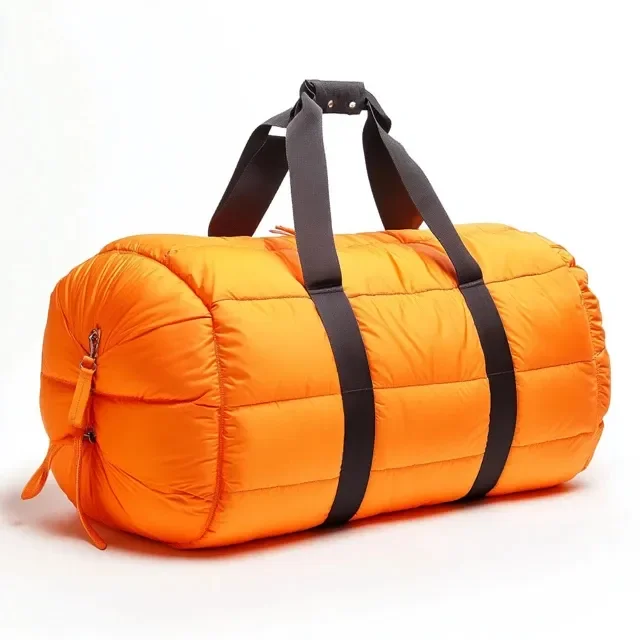
Backpack theft is not an uncommon occurrence. In major cities worldwide, thousands of backpacks are stolen daily from cafes, public transit, libraries, and outdoor spaces. These bags often contain laptops worth over $1,000, along with wallets, keys, and irreplaceable personal items. The emotional and financial impact of a stolen backpack extends far beyond the bag itself.
This reality has driven the development of anti-theft backpack technology, with GPS tracking emerging as one of the most effective countermeasures. But not all tracking technology is created equal. From Apple AirTag pockets built into premium backpacks to standalone GPS modules with cellular connectivity, the options vary significantly in cost, accuracy, reliability, and convenience.
This guide provides a thorough analysis of how GPS tracker backpack technology works, what actually helps you recover stolen property, and how to choose the right tracking solution for your needs.
The Problem: Backpack Theft Is Common and Costly
Before diving into solutions, understanding the scale of the problem helps put tracking technology in perspective.
According to various crime statistics, bag theft represents one of the most common property crimes in urban areas. London alone reports over 10,000 bag thefts annually. New York City sees similar numbers. In tourist-heavy destinations like Barcelona and Rome, backpack snatching is so prevalent that local police issue specific warnings to visitors.
The average business backpack contains:
- A laptop or tablet ($500-$2,500 replacement cost)
- Chargers and cables ($50-$150)
- Documents and identification (difficult to replace)
- Wallet or purse ($200-$500 in cash and cards)
- Headphones ($50-$350)
- Personal items (keys, medication, etc.)
The total replacement cost of a stolen business backpack often exceeds $2,000, not including the time and stress involved in replacing documents, canceling cards, and changing locks. This makes even a modest investment in tracking technology a potentially worthwhile insurance policy.
Reality Check: While GPS tracking cannot prevent theft, it dramatically increases recovery chances. Police and insurance companies increasingly recognize tracking data as valuable evidence for recovery operations and claim processing.
How GPS Tracking Works in Backpacks
Understanding the underlying technology helps you evaluate claims made by backpack manufacturers and tracking device companies.
GPS Fundamentals
Global Positioning System (GPS) technology works by receiving signals from a constellation of satellites orbiting Earth. A GPS receiver calculates its position by measuring the time it takes for signals from at least four satellites to reach it. This process, called trilateration, provides latitude, longitude, and altitude data.
In a backpack context, a GPS receiver chip (often combined with other positioning technologies) is embedded in the bag or placed inside a dedicated pocket. The chip determines the backpack's location and then needs a way to communicate that location to you. This communication step is where different tracking solutions diverge significantly.
Positioning Technologies Used in Backpacks
Modern tracking systems rarely rely on GPS alone. They typically combine multiple positioning technologies for better accuracy and faster location fixes:
| Technology | Accuracy | Power Usage | Best Environment |
|---|---|---|---|
| GPS (Satellite) | 3-5 meters | High | Outdoors, open sky |
| Wi-Fi Positioning | 10-20 meters | Moderate | Urban areas, indoors |
| Cell Tower Triangulation | 50-200 meters | Low | Anywhere with cell coverage |
| Bluetooth Beacons | 1-10 meters | Very Low | Near compatible devices |
| Combined (A-GPS) | 1-10 meters | Variable | All environments |
Premium anti-theft backpack technology uses Assisted GPS (A-GPS), which combines satellite data with Wi-Fi and cell tower information to achieve faster and more accurate positioning than GPS alone. This is particularly important in urban environments where tall buildings can block or reflect satellite signals.
AirTag and SmartTag Integration vs. Built-In GPS
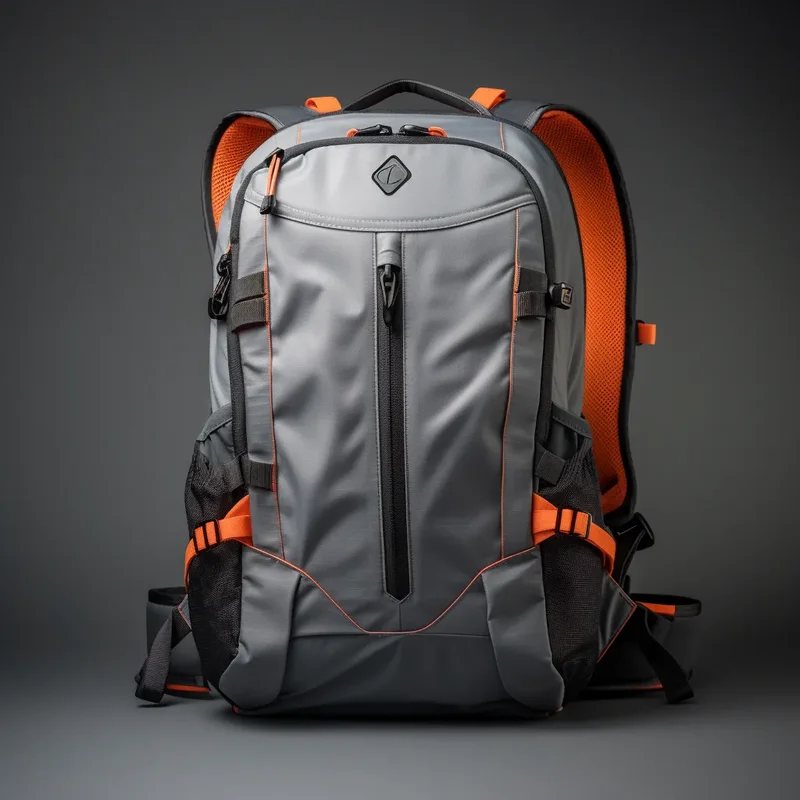
The tracking landscape for backpacks has split into two distinct approaches, each with significant advantages and trade-offs.
AirTag and SmartTag Integration
Apple's AirTag and Samsung's SmartTag represent a crowdsourced tracking paradigm. These small, coin-sized devices use Bluetooth Low Energy to communicate with nearby compatible smartphones. When your AirTag-equipped backpack passes near any iPhone (or any Android with Samsung SmartTag), the phone anonymously relays the tag's location to the Find My or SmartThings network.
Many forward-thinking backpack manufacturers now include dedicated AirTag pockets, strategically placed in:
- Bottom panels: Hidden from casual inspection, difficult for thieves to find
- Shoulder strap cavities: Concealed within the strap padding
- Interior seam pockets: Sewn into the bag's lining with hidden access points
- Back panel compartments: Between the backpack and the wearer's back
Advantages of Tag Integration
- No monthly subscription required
- Battery lasts approximately one year (replaceable CR2032)
- Works in populated areas worldwide through crowdsourced networks
- Extremely compact and lightweight (11g for AirTag)
- Precision Finding with Ultra Wideband (UWB) helps locate the bag within a room
- The tracker can be removed and used independently of the backpack
Limitations of Tag Integration
- Requires nearby compatible devices to relay location; useless in remote areas
- Location updates are not truly real-time; they depend on when a device passes by
- Anti-stalking features mean sophisticated thieves could potentially detect the tracker
- Does not provide movement history or route tracking
- Ecosystem lock-in (AirTags work best with iPhones, SmartTags with Samsung devices)
Built-In GPS Modules
Some backpacks feature genuinely built-in GPS modules with their own power supply and cellular connectivity. These operate independently of your phone and any crowdsourced network.
Advantages of Built-In GPS
- True real-time tracking regardless of nearby devices
- Works anywhere with cellular coverage, including remote hiking trails
- Can provide movement history, route playback, and geofencing
- Not detectable by anti-stalking features (no Bluetooth broadcasting)
- Often includes additional features like SOS buttons and activity logging
Limitations of Built-In GPS
- Requires regular charging (every 1-7 days depending on update frequency)
- Typically requires a monthly data subscription ($3-$10/month)
- More expensive to purchase and maintain
- Cannot be easily transferred to another bag
- Electronic components add weight and complexity to the backpack
- If the module fails, you need specialist repair or replacement
Real-Time Tracking Apps and How They Function
The tracking device is only half the equation. The companion app is where you interact with location data, receive alerts, and coordinate recovery efforts.
Apple Find My (for AirTag)
Apple's Find My app displays your AirTag's location on a map when it has been detected by the network. In areas with dense iPhone populations (cities, malls, transit stations), location updates can arrive within minutes. In less populated areas, updates may take hours or longer. The app supports:
- Last known location display
- Directions to the tracker using Precision Finding (UWB)
- Play sound to locate the AirTag nearby
- Mark as Lost mode, which notifies you when the AirTag is detected
- Share location tracking with family members
Samsung SmartThings Find (for SmartTag)
Samsung's equivalent system operates similarly through the Galaxy device ecosystem. While Samsung's device network is smaller than Apple's, it is growing rapidly. SmartThings Find also supports community-based detection and provides location history on the map.
Dedicated GPS Tracker Apps
Built-in GPS backpacks typically use proprietary apps provided by the tracker manufacturer. These apps often include more advanced features:
- Real-time location: Updates every 1-60 seconds, displayed on a live map
- Geofencing: Virtual boundaries that trigger alerts when the backpack crosses them
- Route history: Complete playback of the backpack's movement over time
- Speed monitoring: Alerts if the backpack moves at unusual speeds (e.g., vehicle theft)
- SOS functionality: Emergency buttons that share your location with contacts
- Multi-user sharing: Allow multiple people to track the same backpack
Geofencing Alerts: Your Early Warning System
Geofencing is arguably the most valuable proactive feature in any GPS tracker backpack. It allows you to define virtual boundaries around important locations, receiving instant alerts when your backpack crosses these boundaries.
How Geofencing Works
You set a geofence radius around a location (your home, office, gym, school, or any point on the map). The tracking system monitors the backpack's position and triggers an alert when it moves outside the defined boundary. Common geofencing scenarios include:
- Home boundary: Alert if the backpack leaves your house when it should not (children forgetting bags, or potential theft overnight)
- Office boundary: Alert if the backpack moves from your desk or meeting room
- School boundary: Parents can verify children arrive at school with their backpacks
- Gym or cafe boundary: Alert if someone takes your bag while you work out or dine
Setting Effective Geofences
The effectiveness of geofencing depends on proper configuration:
- Appropriate radius: Too small (5m) generates false alerts from GPS drift; too large (500m) delays theft detection. A 50-100 meter radius around a specific building is usually optimal
- Time-based rules: Some systems let you set time windows, only alerting during specific hours
- Multiple zones: You can usually set multiple geofences for different locations you frequent
- Alert methods: Push notifications, SMS, email, or even automated calls for critical alerts
Pro Tip: Set up geofences around all locations where you regularly leave your backpack unattended, even briefly. A cafe table, gym locker area, or library study carrel are all common theft locations. Early detection through geofencing gives you the best chance of recovering your bag before the thief gets far away.
Recovery Statistics and Success Rates
The question everyone asks: does GPS tracking actually help you get your backpack back? The data suggests it does, with important caveats.
Available Recovery Data
While comprehensive industry-wide statistics are limited, available data paints an encouraging picture:
- Apple has reported helping recover over $500 million worth of lost items through the Find My network since its launch
- Police departments in major cities report higher recovery rates for stolen items with GPS tracking data
- Insurance companies increasingly accept tracking data as valid evidence for claims processing
- User reports suggest 20-40% recovery rates for tracked stolen backpacks, compared to under 5% for untracked bags
Factors Affecting Recovery Success
| Factor | Higher Recovery Chance | Lower Recovery Chance |
|---|---|---|
| Time to Detection | Noticed within 30 minutes | Discovered hours later |
| Location Type | Urban area with dense device network | Rural or remote area |
| Police Response | Willing to act on tracking data | Dismissive or under-resourced |
| Tracking Technology | Real-time GPS with frequent updates | Bluetooth tag with intermittent updates |
| Thief Behavior | Dropped quickly, not tech-savvy | Discards bag contents, disables electronics |
| Geofence Setup | Active geofence triggered immediately | No geofence, manual checking required |
Best Practices for Recovery
- Act immediately: The faster you respond to a theft alert, the higher the recovery probability
- Share tracking data with police: Provide screenshots of the location history and current position
- Do not confront thieves yourself: Use tracking data to assist law enforcement, not to locate the thief personally
- Enable Lost Mode: This activates additional notifications when the tracker is next detected
- Document everything: Screenshots, police reports, and tracking logs support insurance claims
Comparison of Tracking Technologies

Choosing the right tracking technology for your backpack depends on your specific needs, budget, and usage patterns. Here is a comprehensive comparison of the major options.
| Feature | Apple AirTag | Samsung SmartTag2 | Tile Pro | Built-In GPS Module |
|---|---|---|---|---|
| Price | $29 | $30 | $35 | $50-$150 (included in bag) |
| Monthly Cost | Free | Free | Free ($35/yr for premium) | $3-$10/month |
| Battery Life | ~1 year | 8-12 months | ~1 year | 1-7 days (rechargeable) |
| Real-Time Tracking | Near real-time (crowdsourced) | Near real-time (crowdsourced) | Limited (crowdsourced) | True real-time |
| Remote Areas | Poor (needs nearby devices) | Poor (needs nearby devices) | Poor (needs nearby devices) | Excellent |
| Urban Accuracy | Good (10-50m) | Good (10-50m) | Moderate (20-100m) | Excellent (3-10m) |
| Geofencing | Basic (Lost Mode alerts) | Basic (alerts) | Limited | Advanced (custom zones) |
| Weight Added | 11g | 12g | 14g | 30-80g |
| Ecosystem | Apple only | Samsung only | Cross-platform | Proprietary app |
Battery Life Considerations
Battery management is a critical but often overlooked aspect of tracking technology. A dead tracker provides zero protection.
AirTag and SmartTag Battery Life
These devices use standard CR2032 coin cell batteries that last approximately 8-12 months under normal usage. The devices emit a low-priority notification to your phone when the battery is running low, giving you time to replace it. The replacement process is simple: twist open the back cover, swap the battery, and close it.
Built-In GPS Module Battery Life
Built-in GPS modules require significantly more power because they actively transmit location data. Battery life depends on several factors:
- Update frequency: Reporting every 10 seconds drains the battery in hours; reporting every hour lasts days
- Movement detection: Smart modules only report when movement is detected, extending battery life dramatically
- Signal strength: Weak GPS or cellular signals force the module to use more power to maintain connections
- Temperature: Cold temperatures reduce lithium battery capacity, shortening effective runtime
Critical Reminder: The single biggest cause of tracking failure is a dead battery. Set calendar reminders for battery replacement (AirTags/SmartTags) or establish a charging routine (built-in GPS). A tracker you forget to charge provides false security.
Extending Battery Life
For built-in GPS modules, you can extend battery life by:
- Increasing the update interval when real-time tracking is not critical
- Enabling movement-only reporting (the module sleeps when stationary)
- Reducing geofence radius calculations (wider zones require fewer position checks)
- Turning off unnecessary features like sound alerts or LED indicators
Privacy Implications You Should Know
Tracking technology in backpacks raises legitimate privacy questions that deserve honest discussion.
Your Privacy
When you track your own backpack, your location data remains within your private ecosystem. Apple's Find My network uses end-to-end encryption, meaning even Apple cannot see the location of your AirTags. Samsung's SmartThings Find operates similarly. Built-in GPS trackers store data on their own servers, and you should review the manufacturer's privacy policy to understand data handling practices.
Anti-Stalking Protections
Apple and Samsung have implemented anti-stalking features to prevent misuse of tracking technology:
- AirTag: If an AirTag is separated from its owner and moving with someone else's iPhone, the iPhone receives a notification that an unknown AirTag is traveling with them. The AirTag also plays a sound after a period of separation.
- SmartTag: Similar notifications alert Samsung device users when an unknown SmartTag is detected nearby.
- Tile: Tile has faced criticism for less robust anti-stalking protections, though they have improved their alert systems.
Implications for Anti-Theft Use
The anti-stalking features create an interesting tension: they protect potential stalking victims but also alert sophisticated thieves to the presence of tracking devices. In practice, this trade-off favors legitimate users because:
- Most backpack thieves act quickly and opportunistically, not methodically scanning for trackers
- The alerts only trigger on compatible devices (a thief with a different phone ecosystem may not receive them)
- Well-concealed tracker pockets delay or prevent discovery
- Built-in GPS modules do not broadcast Bluetooth and cannot be detected by anti-stalking features
Data Security
When choosing a tracking solution, consider the manufacturer's data practices. Reputable companies use encryption for location data, do not share data with third parties, and provide clear data deletion options. Avoid unknown brands offering suspiciously cheap GPS trackers, as they may collect and monetize location data without transparent disclosure.
Frequently Asked Questions
How accurate is GPS tracking in a backpack?
GPS accuracy in backpacks depends on the technology used. Built-in GPS modules with cellular connectivity provide real-time location accuracy within 3-5 meters outdoors and 10-50 meters in urban environments with tall buildings. AirTag and SmartTag systems rely on Bluetooth crowdsourcing networks, which provide less precise location data (typically within 10-100 meters) but can pinpoint exact locations in densely populated areas where many compatible devices are nearby.
Can thieves detect GPS trackers in backpacks?
Modern tracking devices include anti-stalking features. Apple AirTags alert nearby iPhones if an unknown AirTag is traveling with someone. Similarly, Samsung SmartTags notify Android users of unknown trackers. This means a sophisticated thief with a compatible smartphone could potentially detect the tracker. However, many thieves are unaware of these technologies or do not actively scan for them. Concealed tracker pockets in backpacks make detection less likely during a quick theft.
Do I need a monthly subscription for GPS backpack tracking?
It depends on the tracking technology. AirTag and SmartTag use existing crowdsourced networks (Apple Find My and Samsung SmartThings) with no monthly fee. Built-in GPS modules with cellular connectivity typically require a SIM card and data plan, usually costing $3-$10 per month. Bluetooth-only trackers like Tile or Chipolo work with their apps for free but have limited range without crowdsourcing networks.
How long do GPS tracker batteries last in backpacks?
Battery life varies significantly by technology. Apple AirTags last approximately 1 year on a replaceable CR2032 coin cell. Samsung SmartTags last 8-12 months on similar batteries. Tile Pro devices last about 1 year. Built-in GPS modules with cellular connectivity, which transmit location data regularly, typically need charging every 1-7 days depending on update frequency. Passive Bluetooth trackers last much longer because they only activate when pinged by nearby devices.
What is the success rate of recovering stolen backpacks with GPS?
Recovery rates for stolen items tracked through GPS or Bluetooth technology are encouraging but not guaranteed. Apple reports that approximately 30% of items reported stolen through Find My are recovered. For backpacks specifically, recovery depends on how quickly you notice the theft, how far the thief travels, and whether you involve law enforcement. Urban areas with dense device networks (for crowdsourced tracking) show higher recovery rates than rural areas.
Is GPS tracking in backpacks a privacy concern?
GPS tracking in your own backpack poses minimal privacy risk when properly configured. Your location data stays within your own device ecosystem. However, concerns arise if tracking devices are used without consent on someone else's property. Anti-stalking features in major tracking systems address this by alerting people when unknown trackers move with them. Always ensure your tracking devices are registered to your account and kept updated with the latest firmware.
What is the difference between built-in GPS and AirTag in a backpack?
Built-in GPS modules provide independent, real-time location tracking with cellular connectivity, working anywhere with a signal but requiring charging and potentially a data subscription. AirTags use Bluetooth Low Energy and the Apple Find My crowdsourced network, offering free tracking with excellent range in populated areas but less precise real-time updates. Built-in GPS works in remote areas; AirTags depend on nearby Apple devices to relay location data.
Can I add GPS tracking to my existing backpack?
Yes, you can add tracking to any existing backpack. The simplest approach is placing an AirTag, SmartTag, or Tile tracker in a concealed pocket or attaching it to an interior loop. Some accessories like adhesive mounts, keyring holders, and dedicated tracker sleeves help hide and secure the device. For more advanced solutions, GPS modules with magnetic mounts can be attached to the backpack frame or hidden inside structural panels.
Interested in Anti-Theft Backpack Solutions?
From concept design to mass production, we specialize in backpacks with integrated tracking technology, anti-theft features, and premium materials.
Email: service@junyuanbags.com
WhatsApp: +86 17750020688